dannylv100.com
  • Projects
    • Shrapnel
    • Flat Kingdom
    • Aero
    • Freeze-E Frosty's
  • Personal Projects
    • A Game In the Dark
    • Doom (2016) Design Test
    • 3rd Person Shooter
    • Forge Editor - Halo 5
  • Blog
  • Resume

I was a guest on the Weapon Wheel Podcast!

7/1/2016

0 Comments

 
Picture
This content is NSFW due to cursing. 
​
  I was a guest on the Weapon Wheel Podcast! The Weapon Wheel Podcast is a weekly round table discussion about everything gaming. From news and current events to discussion on old school games and technology.

​  I was invited on by the host, BrokenGamezHD to talk about Mighty No.9, Xbox Scorpio and a whole bunch of other topics! 


You can listen to the Weapon Wheel podcast on youtube, soundcloud and on itunes. 

   Do you have questions, comments or concerns? Email us at [email protected]
Follow us on Tumblr, IndieDB, Twitter, Mixcloud,Soundcloud,Twine, instagram and Youtube

- Danny Q
@Dannylv100
​

0 Comments

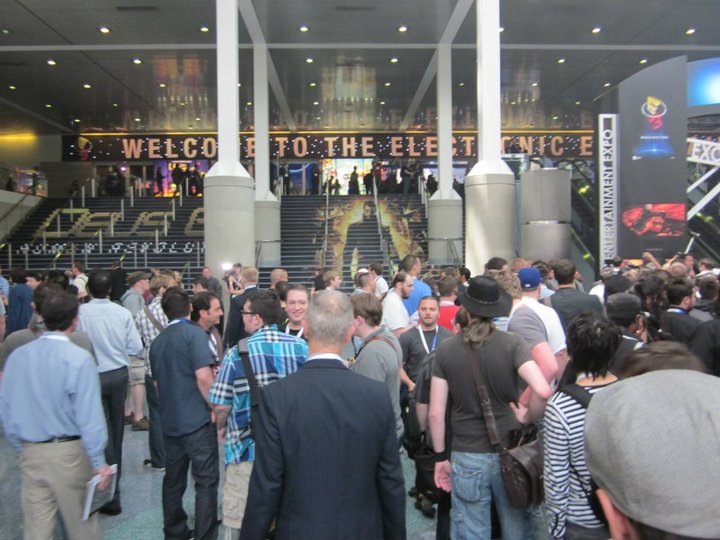
Dannylv100's E3 Survival Guide: Tips for your first E3!

5/25/2016

0 Comments

 
Picture

Tips and Pro Tips make all the difference

   The Electronic Entertainment Expo is upon us once again. You probably know it as E3. Is this your first time going to E3? Every year people try and find tips and advice on how to explore the show. Like many others, I too have read these lists, and I have to say...they weren't all that helpful. If you want a great list of fantastic tips, you've found the place. Get ready for some tips and pro tips!

Obvious Tips

  These are the kind of tips you are going to find on any and every list about E3. These are the most basic and simple tips that you can find just about anywhere.

What to Wear

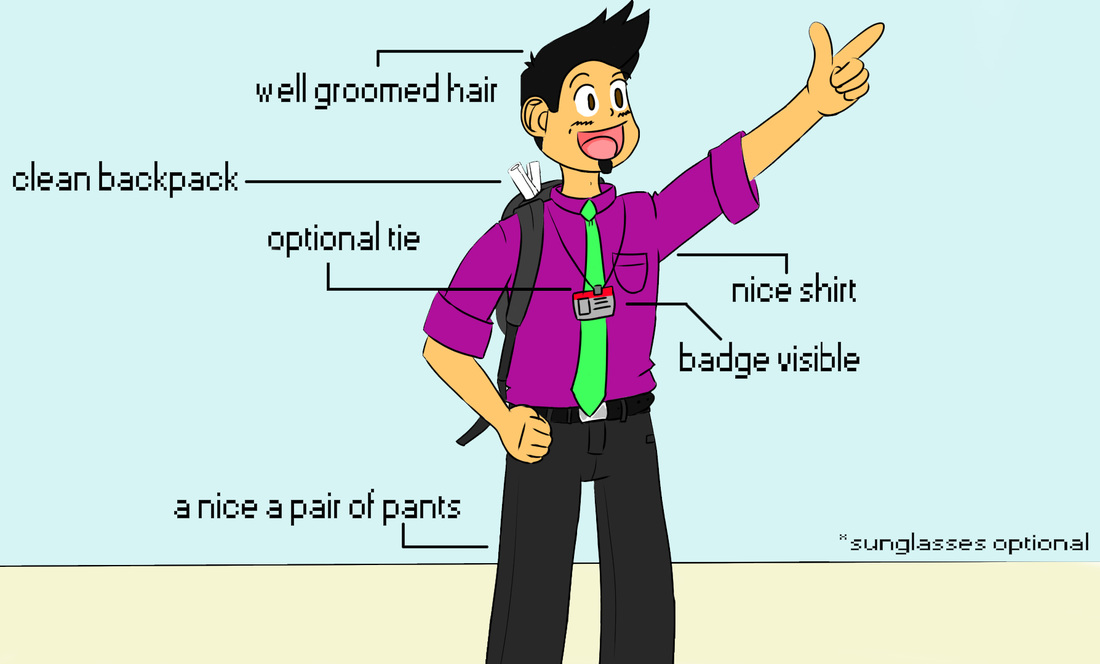
   E3 is a trade show for business to show off the latest coming attractions in games. Contrary to what a lot of people might think, E3 is not a fan event. There are a ton of business types walking around the convention center. If you are at E3 to just have a good time, dress casually. 

  If you are going to E3 to network, I would recommend business casual attire. You don't want to bump into someone you want to network with while wearing basketball shorts and a Goku button up! You want to make a good impression! After all you are representing your studio, channel or brand. 
​
Tip: If you are the type of person that sunburns easily, you may want to apply some sunscreen before attending the convention.

My recommendations

- Comfortable shoes (Don't come in toe shoes, you will just look out of place)
- Button up shirt (preferably a light color because it is usually very warm)
- Optional tie
​- Nice pair of Jeans/slacks 
- Sunglasses (LA is very bright and there is very little shade outside the convention center)
​
Picture
Dress for success!
Tip: E3 is a trade show, it isn't Anime Expo or Comic Con. Unless you are being paid to promote a product/service or game, leave the costume at home. 

What to Bring with You

Backpack

Picture
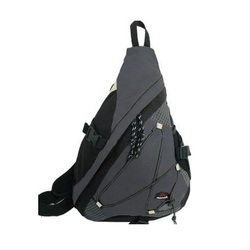
Cuscus Single Strap Backpack.
   You definitely don't want to show up to E3 without a bag. Chances are, you are going to end up with a bunch of stuff you can't carry. 

​   
The first few years I brought a standard Jansport, which had a lot of space, but it dug into my shoulders during the long walks/waits. I tried a messenger bag, but that too became uncomfortable.

   For the last for years I have been using a single strap backpack. It has enough space for my stuff/swag, while being comfortable enough for a long day's walk. I highly recommend looking into getting one of these bags.
​
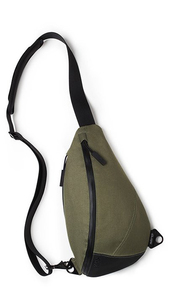
   An excellent option for a single strap backpack is the KP Sling Bag, The KP sling bag is sleek and stylish, easily meeting the needs of a business casual scenario such as a convention or business lunch.

​  The KP sling bag is water resistant and features and padded interior great for tablets and other electronic devices. It also has a hidden compartment, great for your wallet/passport.

   Unlike most single strap backpacks, the KP sling bag can be worn on either shoulder. A fantastic feature for long days at the convention center or traveling around town. 
Picture
KP Sling Bag.

Snacks 

   You are going to want to bring water. A refillable thermos/bottle or a couple of plastic water bottles would be a good idea.If you run out, there are a couple of water fountains around the main halls where you can always refill. If water is not your thing, a sports drinks work too.

 You are definitely going to be offered energy drinks while you're attending E3. I am kind of against them, since they will just make your thirstier and possible jittery. I wouldn't pack any to be honest. Too expensive and water does the trick for me.
​
Picture
Refillable plastic water bottle.
Obvious Tip: Water fountains are located around the outside of either hall. These spots are ideal for getting a drink or refilling your water bottle.
​
   Where snacks are concerned, I usually just pack something simple like Apple/Pear slices, banana or chopped carrots. Healthy snacks that will keep your energy up and not slow you down. Beef Jerky and mixed nuts are also a great option if you want to keep the hunger at bay while also restoring your energy. You also can just pack a home made PB&J. All these items are easy to consume while waiting in line or just relaxing outside the con.
​

Tip: Don't pack any food items that need to be heated up or cooked in any way. Please don't bring food with a very pungent smell either!

Business Cards

Picture
Business cards in a steel carrying case.
   If this is your first E3 I can't stress how important business cards are. If you are an up and coming youtuber/streamer or a freelance game developer, a business card is essential. I would recommend carrying your business cards inside of a steel card case that will keep them safe and allow for easy distribution.

  You are going to need to carry more then ten cards with you on any given day. Be sure to keep your spare cards inside of your backpack/purse etc. If you are wondering how many cards you should get printed, I would estimate that 200 would be more then enough for all three days and after parties. Make sure to get them printed a couple weeks in advanced. You don't want to have to pay for rush delivery/printing. 
​

Know the Halls

Picture
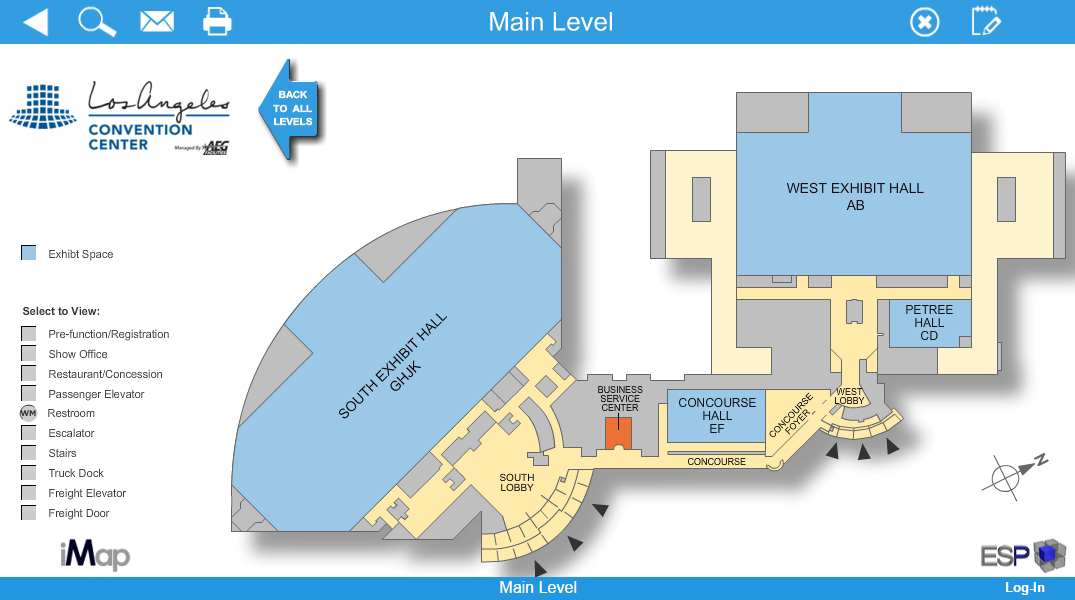
   Use thisinteractive map and Virtual Tour of the convention center to familiarize yourself with the halls. Just remember, this handy tip, the West hall is the one closets to Staples Center. 

Figure out Where to Eat In Advance

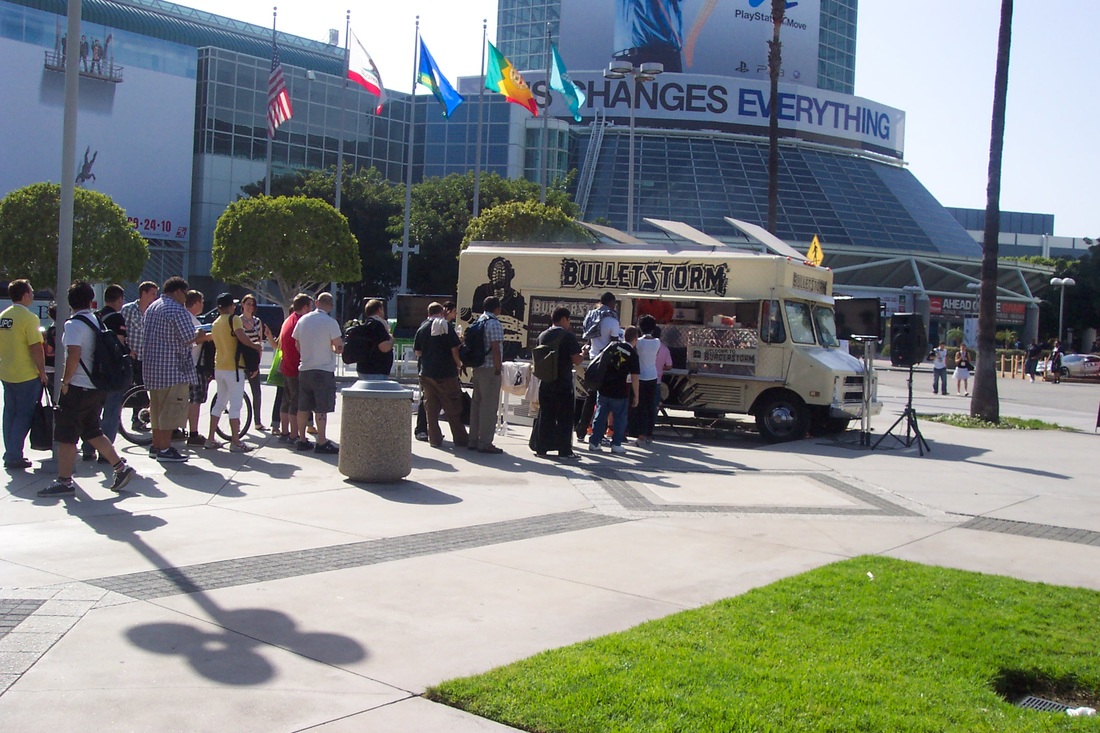
   In recent years there has been a plethora of lunch trucks that can be found along Figueroa street, across from the convention center. Lunch trucks vary in price, so expect to spend around 8-12 dollars. Sometimes, game studios may provide a lunch truck that will give out free food/snacks as part of a promotion! These lunch trucks are a great way to save some money, but don't count on them being your main source of food.
​

Picture
E3 2010 - Promotional Bulletstorm lunch truck giving out free hamburgers.
   LA live, which is near the convention center is full of places to eat. These are sit down places and can be a bit pricy, keep that in mind if you are on a budget. If you had to eat at a place in LA Live I would recommendLucky Strike. It has a nice atmosphere and their lunch menu that isn't too expensive while also being a short walk from the West hall.
​  
Picture
"What am I going to eat?"
   Whenever people ask "What is good in LA?" you might get an answers like, Pinks, In-N-Out, Phillipes etc. Just be aware that none of these places are near the convention center! Feel free to eat there, but not during convention hours. You will waste a lot of time/gas/money traveling all the way to Pink's.

​   
Make sure to do your research beforehand! Zomato makes it easy to find places around Downton Los Angels with their lunch and dinner search options. Make sure to plan out where you're going to eat before you make the trip to the show floor!

Protips

  These are the tips that you will only get from someone like me, am E3 veteran. These tips will give you the edge over the unprepared masses that flood the halls.

Networking

   Networking is one of the most powerful things you can do while attending E3. You are going to be surrounded by thousands of people in every field of game development. Indie game designer, Concept artist on huge AAA projects, HR and PR personnel. I really hope you brought along your business cards!

  But when is networking approriate? How hard should you hustle? When and where is best to meet people?

On the Show Floor

   Waiting in line is a great time to network. Think of it this way, you and the people in line already have a lot in common.
   All you have to do is start up a casual conversation. If the person is down to have a friendly chat, chat away!
   What are you to talk about?
- The demo you're waiting in line for
 - What game/etc are most excited for?
- What do they do in the industry (animator/designer etc)? 
- ETC
   When you are about to part ways make sure to seal the deal and hand them your business card.
​ 
Picture
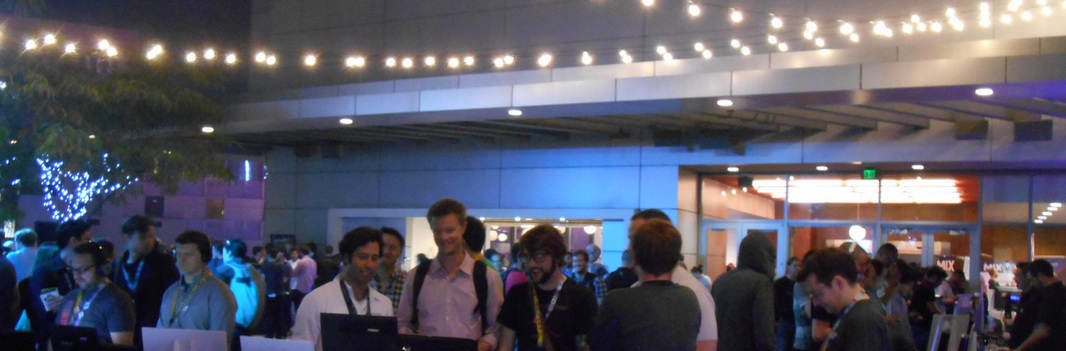
Gamedev Drinkup at the Golden Gopher (E3 2014)
Pro Tip: Read the situation, in a line that is an hour long wait you might not want to be stuck next to someone you angered/annoyed!

At an After Party 

  The show floor isn't the only place that you can socialize. Every year E3 has a ton of after parties, and most of them are accessible to anyone attending E3. How do you find such parties? One thing that always works for me is to google search "E3 Parties (Year)" and you will find a list of all the parties that will be going on that week.Or better yet you can follow the E3 party guide on twitter or check out their website. Most of these events are fairly easy to attend. Don't be surprised that a few may be exclusive. 

   One such event that anyone over 21 can attend is the Gamedev Drinkup. I would recommend the gamdev drinkup because it is a great way to network and meet interesting people. This event is very laid back and casual. Just people drinking and talking. This is a great event for people that are just breaking into the game industry or are fresh out of a game design college.
​
Tip: Be sure to bring your E3 badge to the party! Most parties require a badge for entry. Don't leave it at your hotel or car!

Get Connected!

   If you've been busy hustling and socializing at E3 you probably got a stack of business cards! What do you do now? Simple, start connecting with these people! What I normally do is I find them on Linkedin or twitter. I sit down at my desk and go through the business cards of all the people I met. I send requests to the people I had a good conversation with. It doesn't hurt to message everyone you collected a card from.​​
Picture
The MIX - Media Indie Exhcange (2015)
Pro Tip: Make sure to wait a few days to a week before you try and connect with anyone on Linkedin. People are busy during E3 and are more likely to see your request after the dust has settled. If you want to connect with them right away, follow them on twitter as it is a much more casual means of connecting.
​​
   Here is an example of a short message I would send "Danny would like to connect.  Great talking to you about your upcoming project! " Keep it short, simple and add a personal touch. The personal touch helps them remember who you are. It is very common for people to get spammed with tons of connection requests, you want to remind this person who you are, where you met (In line, At an after party etc) and what you were talking about. This will build a bond, refresh their memory and ensure that these people will accept your request. ​

SWAG: Dos and Don't 

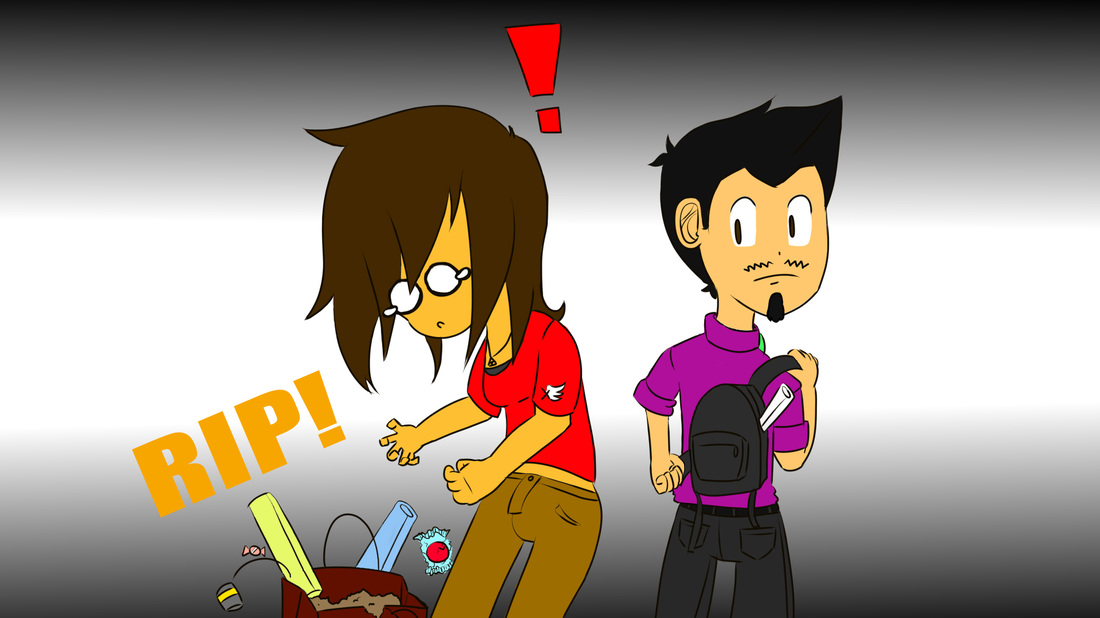
  E3 is a place full of swag (Stuff We All Get), but not all of it is worth it. In fact some of it will just weigh you down and hold you back. One item I learned to avoid are the over sized convention bags. At best they help you carry all of your stuff, at worst they get in the way and the strap will rip causing you to drag them all over the place.
​
Picture
Avoid the large convention bags!
   If you are offered something that you don't want, politely decline. It is a major pet peeve of mine to see people receive something and simply toss it in the trash or on the ground. Just say "No thank you". Not hard to do. 

DO: Keep An Eye out for Hot Ticket Items

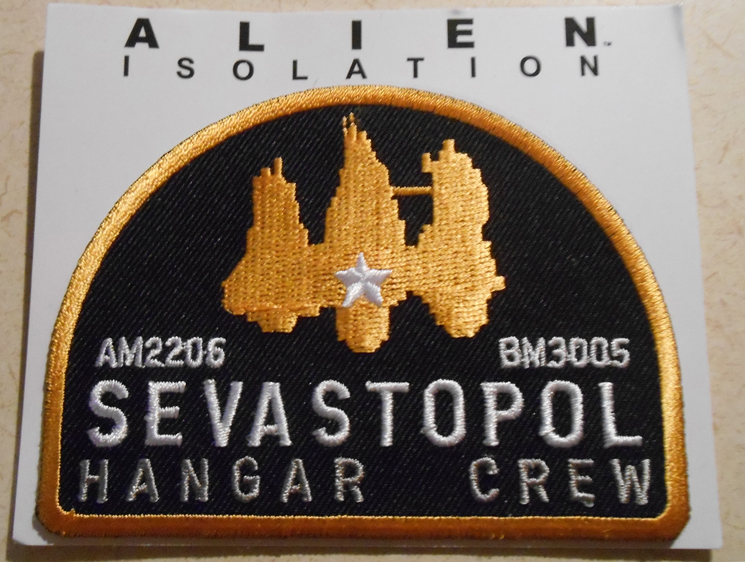
   There are some hot ticket items at every E3. The Skylanders booth onced raffled off an E3 exclusive figure that collectors would love to get their hands on. I was fortunate enough to win one. I held onto it for a while and I sold it online for a cool hundred mil.
​
Picture
E3 exclusive patch from Alien: Isolation.

Hot Ticket Items

- Art books and Art Prints
- Collectible Figurines
-Plushies
- Patches/Pins and Coins
​- USB drives

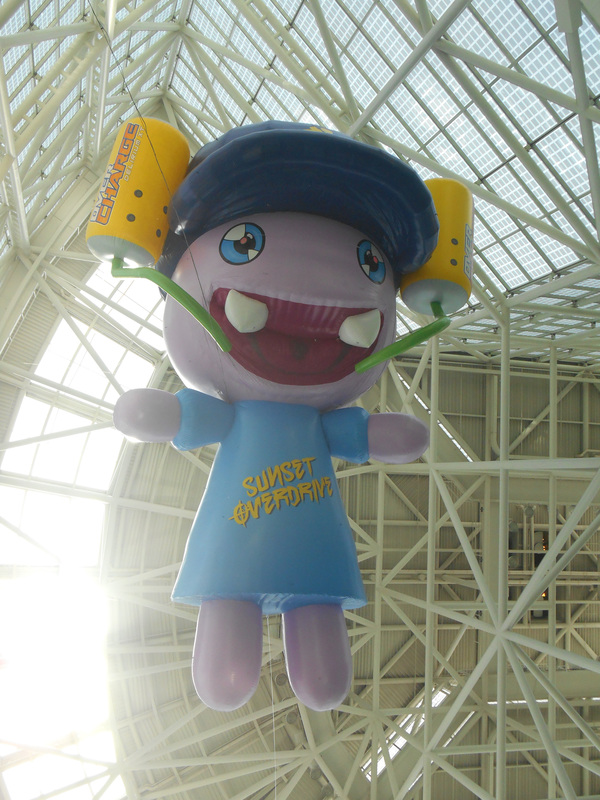
   Of course there are a plethora of shirts, magnets, lanyards and novelty items. I still have a can of Overcharge (the energy drink from Sunset Overdrive) somewhere in my room. 

(Please) DON'T: Be a SWAG Hog or a Whiner

   Swag is free, but that doesn't mean you are entitled to all of it, nor does it mean you should take more then everyone else. Be aware that most of the time the people working the booths are only allotted so many items to give away each day. Sometimes they run out or are done handing out items for the day. 

  I bring this up because every year I see someone get annoyed or angry at this fact. I've seen a grown man raise his voice at someone because he didn't get a free T-shirt. Don't be that guy. Don't be the guy who takes too much or whines when they run out. Fact of the matter is, you will survive without a video game shirt.

Not All Lines Are Equal

   I have waited maybe, half an hour to an hour before to go into a private theater to play a demo and see some extra footage, and those times have always been worth it. Sometimes they give you a shirt and some cool swag.    

   Everyone is going to tell you this "Waiting in line is a big part of E3" and "Long lines are to be expected". Don't fall for these traps.  One year, there was a huge AAA game I was excited for.  My friends and I deiced to wait in the 3 hour line, because you know, it had to be worth the wait. Guess what happened. When my friends and I finally got into the  private theater, they showed us the trailer of the game and gave us no new info. No demo, no new footage, no gameplay, nothing. It was a three hour wait! The only thing we go four our trouble was a T-shirt. 
​

Picture
Line to Enter the south hall. Photograph provided by Jeremy Lobdell.
   How can you avoid a similar fate at E3? Well if you have a press pass that usually cuts waiting in line in half or can even gets you into these private screenings without having to wait.

   How does someone with a general access pass avoid this fate? Easy, just ask someone working the booth. Ask them how long the wait is, if you can play the game/if there is some cool swag etc. The people working the booth will fill you in. I've avoided waiting in lines to nowhere ever since. 
​

Lyft/Uber 

​  Are you signed up to Uber or Lyft yet? No? Good! You might want to hold off until the week of E3. Both of these companies offer sign up bonuses for new customers that can be really handy if you ever get stranded in or around the convention center.
Picture
   First time customers to Uber get a free ride (up to $22) if they use the promo code FEELING22. Uber has also maintained a presence at E3.
Picture
 Sign up to Lyft with this link and get $50 in credit added to your account! I would also suggest using lyft line as a great way to get from your hotel to the convention center for cheap. 

Sign up to Lyft with referral code DANNYLV100 and get your first ride FREE.
​

Get Your Coupons Ready

Picture
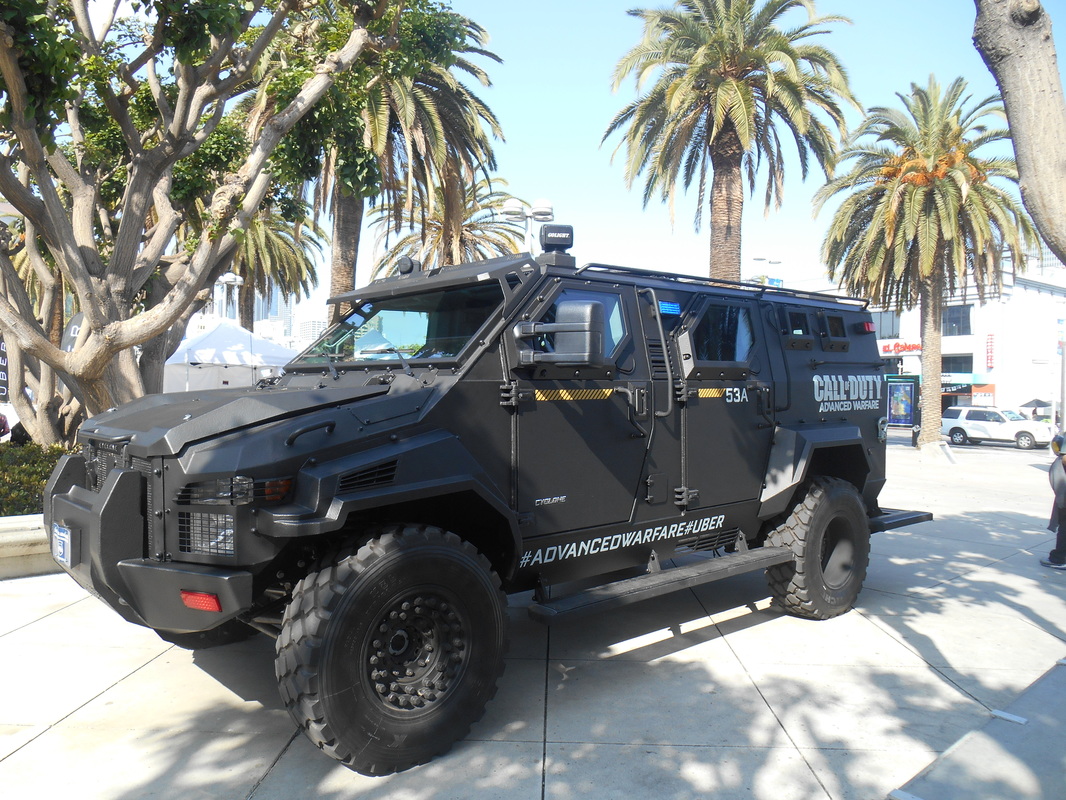
As a promotion one year, you got to ride in an armored car if you signed up with Uber at E3.
   If you have any coupons from Lyft/Uber sitting somwhere, now would be a good time to use them. I have a couple coupons for free rides I got a few months back that I am saving up in case of an emergency scenario. If the apocalypse were to happen tomorrow, guess who has a free ticket out of LA.

Know Your Route: Public Transportation

   Everyone seems to have the idea that public transportation in LA is terrible. That is not too far from the truth, but you aren't going to be traveling all over LA, just to the convention center. Lucky for you, there are a couple of ways to get to E3 by public transportation!
​
   LA Metro can help you find a route to the convention center. Give them a call @ 323.466.3876. Let them know your starting position and your destination. The kind folks at LA Metro will be happy to help you plan your route, free of charge!

Public Transportation Routes

   Metro Bus 81(orange bus) goes through Downtown Los Angeles and then travels straight down Figueroa. This bus makes with multiple stops near the convention center.

​LADOT DASH shuttle bus F will take your through Downtown LA and straight to the convention center for only 50 cents! It stops running around 6 pm, so be aware!

Metro Expo line (light blue train) has a stop at PICO station that will leave you a few blocks away from the convention center. ​

Selfie Stick (For the Youtuber/Blogger on a budget) 

  Selfie sticks aren't just for selfies. Whenever I need to film something out in the field I use my an everyday HD digital camera and my selfie stick. If you are an up and coming channel, you might not have the budget or crew to get the shots you need. A selfie stick is compact, light and requires very little set up. Selfie Sticks are also very affordable when compared to most tripods, boom mics and camera mounts.
​ 
Picture
Trying to record freehand vs using a selfie stick.
    With a selfie stick and some creativity you can take some great shots of the show floor. You can also use it when conducting interviews and filming vlogs. If you see any footage for this site or the youtube channel, you can bet it was filmed with my selfie stick.
​

Note: The show floor is very loud! If you want to film a vlog or interview, try and do it somewhere outside or away from the show floor.​

Portable Charger

Picture
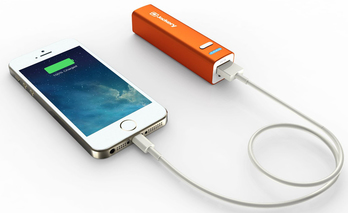
Jackery phone charger.
   One thing you might want to look into it is a portable phone charger. You are going to be using your phone a ton. Taking pictures, making calls, texting, networking etc. Your battery is going to die. I've seen it happen every single year.

​   Sure, they've added some phone charging stations, but did you bring your charger? Do you have time to wait your turn to charge your phone? The answer is no, you want to be on the show floor, playing games, meeting people and enjoying your E3 experience!

   
   This portable charger is slightly bigger then a lipstick and neatly fits into your backpack or purse (and comes in a few different colors). A portable charger will allow you to charge your smart phone on the go, it can definitely save you or a friend in a pinch! Especially if you are from out of town or country and you rely on your phone to get around (map, travel, etc). Don't be the guy looking for an outlet at the after party! Be the guy who is prepared and makes it back home safely!
​
Portable Charger Options: Jackery Mini Premium, Anker Portable Charger, Astro Candy Bar Sized Charger

Use this Shortcut!

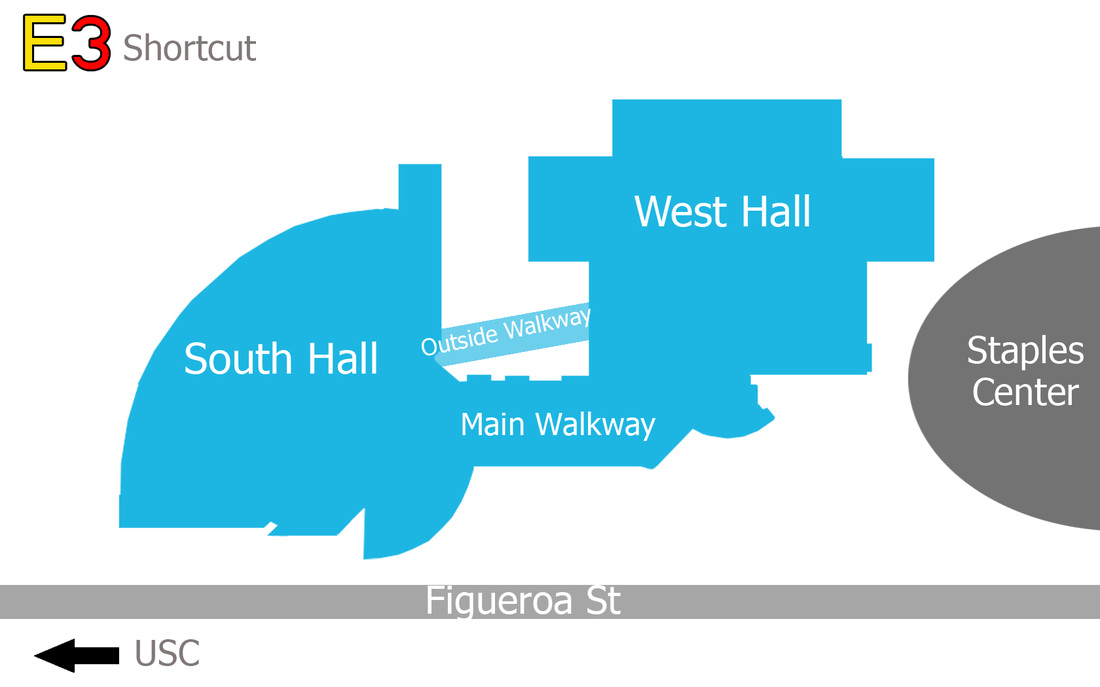
   There is an outdoors walkways that connects both halls. This walkway will take you to the entrance of the South hall and West Hall. Most people are going to use the main walkway, but you don't want to do that! As a veteran of E3 I can tell you that the main walkway takes a lot longer to get between the halls. We are going to be talking anywhere from 10-15 mins if you walk from the south hall to the west hall via the main walkway. 
Picture
   If you take the outside walkway, you're looking at around 5-8 mins. You might be thinking "So what?" A few minutes makes all the difference if you need to get to a meeting or get in line to have an art print signed! Trust me on this one.

See You at the Show!

   With all of these tips and pro tips, I think you are now ready for your first E3! Just remember to have a good time. You should have learned to avoid lines to nowhere, figure out where you are going to eat, what to bring and to network.

​   If you found any of these tips helpful in any way shape or form, please feel free to tweet me and let me know! If you see me at the show don't be afraid to say hi! I really enjoy meeting new people and socializing. You can probably catch me at one of the Gamedev drink ups or Indie meet ups! Have a great E3! 

Artwork was provided by Xfactor 521. Follow her on Twitch, Twitter and Deviantart! Be sure to give her a follow!
Picture
Social Media.
Picture
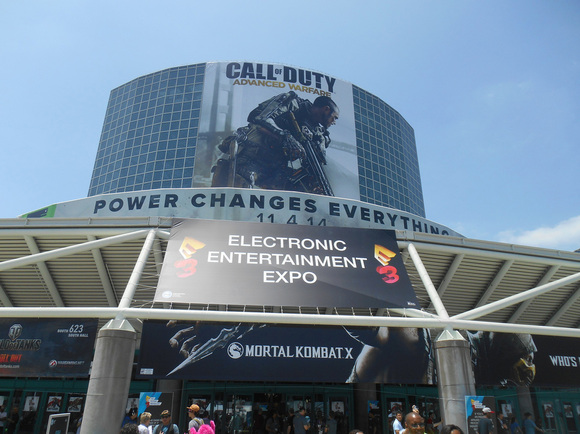
All photographs of E3 were taken by Dannylv100 except where noted

   Do you have questions, comments or concerns? Email us at [email protected]
Follow us on Tumblr, IndieDB, Twitter, Mixcloud,Soundcloud,Twine, instagram and Youtube
- Danny Q
@Dannylv100​
​
0 Comments

COG HAMMERBURST: Gears of War 4 Weapon Idea

4/18/2016

0 Comments

 
Picture

Up Your Arsenal 

  The Gears of War 4 beta is now upon us! And as an avid Gears of War fan I have been keeping up with all of the news. A screenshot from the Gears 4 caught my eye. In this screenshot we see one of the new enemies in the game holding a Hammerburst, the reliable Locust rifle from previous games. The strangest thing about this, it still bears the the Locust colors and even the Locust emblem!
​
   Why is this strange? At the end of Gears of War 3, the COG were pretty much on the verge of being completely annihilated and their resources have been depleted! Luckily the Locust and the Lambent were destroyed! And they left behind a literal ton of weapons behind. So why do these new enemies have Locust Era Hammerbursts?

​   Why wouldn't the COG take these weapons and re-purpose them? Well, we probably won't know until the game comes out. I did however take it upon myself to come up with my own interpretation of what a COG re-purposed Hammerburst would look like and function. ​
Note: Hammerburst will be abbreviated as HB.

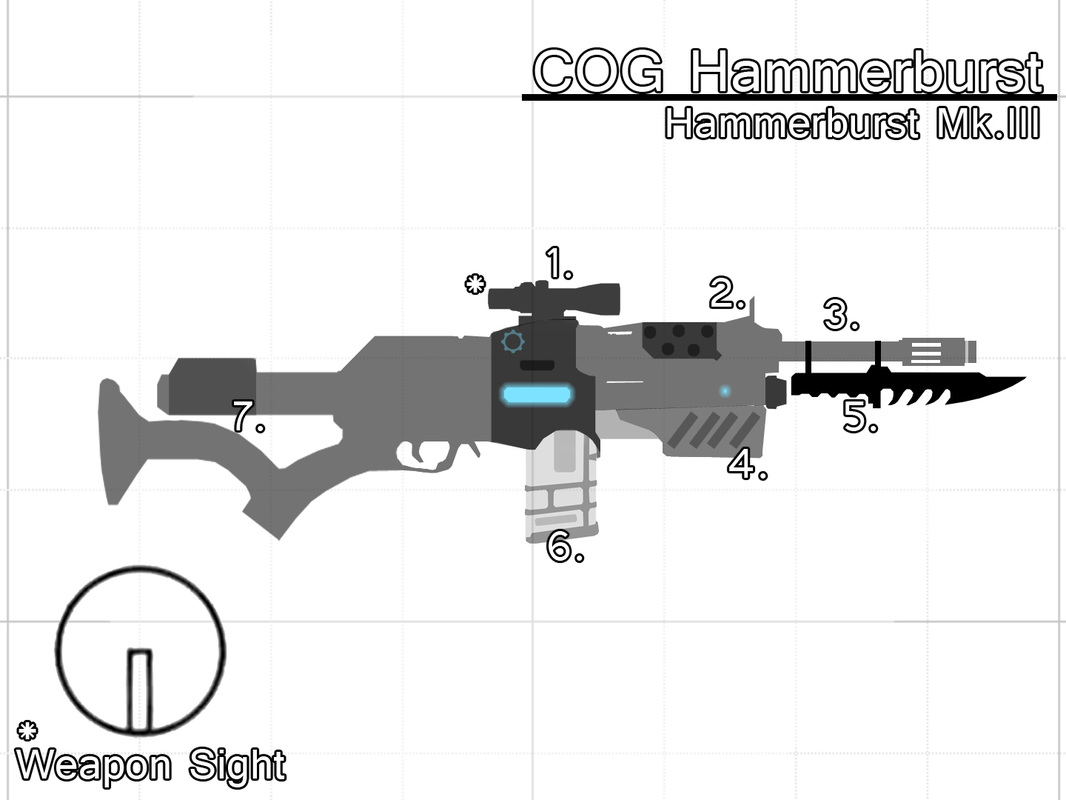
COG Hammerburst - Hammerburst Mk. III

Lore: "At the end of the Locust/Lambent conflict, the COG found themselves severely crippled and low on supplies. COG forces struggled to rebuild their supply of Lancer rifles, however resourceful COG engineers now had a surplus of Hammerburst rifles. They began to re-engineer the crude Locust design and streamline it. The Hammerburst Mk. III began to fill the gap the Lancer had left behind. It was quickly adopted by COG soldiers for scouting missions and made an excellent companion weapon for COG snipers."

   The COG Hammerburst aka The Hammerburst Mark III, is a mid-long range battle rifle. It packs a powerful punch and kick to match. Equipped with a rugged optic scope, the Mark III makes a great weapon for dealing with distant targets with impeccable accuracy. It has a semi-auto and a three round burst fire mode that can quickly take down a man sized target.
​
   The 3 round burst of the Mark III is much more manageable than the 6 round burst of the original Hammerburst and offers more stopping power then the HB II. In semi-auto, the Mark III offers the same power and accuracy of the HB II but has more recoil due to the Mark III's lighter weight. 
​​
  Just like it's predecessor, The Mark III allows players to go into a first person mode where the player uses the rifle's optics in a first person view to take aim at enemies. However, the optic sight is made for durability, this means the optic's zoom leaves a bit to be desired as the magnification of the scope is minimal. 

Breakdown

   The weapon is designed to be visually similar to Longshot Sniper Rifle and Markza. This visually similarity with help players understand and read the rifle as a long range weapon. Instead of being the trademark locust red, it has a dark blue and gray color scheme that matches the current Lancer's colors.

  The red lights of the HB III have been replaced with the traditional COG blue. The Mark III has been stripped down and built back up, removing excess weight, making lighter. A synthetic stock has been added, however if fired rapidly the recoil can cause the weapon to kick, resulting in a loss of accuracy. 
Picture

Hammerburst MK.III

Production Informaion: Coalition of Ordered Governments
Model: Mark III
Type: Semi/Burst Fire Battle Rifle.
Damage Per Hit: Medium to High
Magazine Size: 20 (semi auto) 24 (3 round burst fire)
Maxium Ammuintion: 180 (semi auto) 192 (burst fire)
Fire mode: Semi Auto/Burst Fire
Accuracy: High
Range: Medium to Long
​
1. Optic Scope - A rugged optic scope with a slight zoom. This is used whenever the player engages the first person mode. *This functions just like the first person mode of the HB in Gears 3.
​2. Front Sight - The front sight has been scaled down. Can be flipped up or down. If the scope is ever destroyed, the front sight can be used in a pinch.
​
3. Extended Barrel - The extended barrel makes this Hammerburst better at longer range and increases it's accuracy when compared to it's predecessors.
4. Fore-grip - Grip for the user to hold.
5. Optional Knife - The Mark III's lighter build makes it less reliable as a striking weapon. The Knife compensates for this design flaw and allows for an advantage in close quarters combat.
​
6. Straight Tactical Magazine - Tactical magazine features raised edges for enhanced grip when loading and reloading.
​
7. Extendable Synthetic Stock - They extendable stock helps reduce recoil and adjust to fit the shoulder of the user. The stock also features a face rest for comfort while shooting. 
​

Battle Ready

   What do you think? Do you think that I designed a convincing COG Hammerburst? Do you think the COG wouldn't change the Hammerburst from it's Gears 3 Interpretation? Do you have a few notes or suggestions? Leave a comment here orsend me a tweet. 

​ Thanks for reading! 

  Do you have questions, comments or concerns? Email us at [email protected]
Follow us on Tumblr, IndieDB, Twitter, Mixcloud,Soundcloud,clowdy, instagram and Youtube
- Danny Q
@Dannylv100​
​
0 Comments

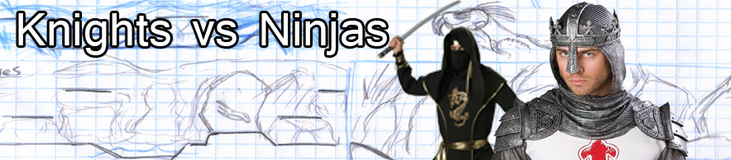
Game Idea: Knights vs Ninjas (RE-BLOG) - Part 1 of 2

3/16/2016

0 Comments

 
Picture
Note: This was originally posted October 30th 2011. I decided to reblog it and update some aspects, including adding some ideas that didn't make the initial cut.

Feudal Warfare

​Here is an idea I had for a game called Knights vs Ninjas! The game has a very simple premise, you pick your character (Knight or Ninja) and embark on a journey through Arthurian legends and medieval Japan to find a mysterious treasures and do battle with your rivals! The plot is just something that gets our characters fighting, no real story here, just something along the lines of "Ninjas/Knights are invading! Fight them!". 
 
   Visually the game is a mix of Castle Crashers and Super Smash Bros, it would be a very stylized 3D. The characters and background would be rendered in 3D but with cel shaded texture. The gameplay is also very similar. Players do battle in arenas that are set in Medieval England and Japan. The player who can defeat enough opponents by either depleting their hit points or knocking them out of bounds of the arena is the winner.

​   Most game modes would allow for anywhere between 4-8 players.  Game modes would be the standard affair such as Free For All to Team Versus, Keep Away and more. The game would feature a single player where players pick a faction and wage war against their rivals across all the stages in the game. 

Factions and Characters Classes

  As of right now each faction has four character classes. Each character can either be male or female.  Players will be able to select their gender and customize their appearance (Different armor pieces, colors, emblems, weapons etc). All changes to the characters will be solely for aesthetic purposes and would not affect gameplay.

   Each class comes with their own weapons, strengths and weakness. Each class has their own unique weapon upgrade that they can unlock through the weapon upgrade power up that appears randomly during gameplay.

Knights Of The High Chair

   Chivalrous knights that fight for honor and respect. They are adorned with armor and royal crests. Generally the knights are a bit slower but have higher defensive ratings compared to their Ninja counterparts.​
​
Picture
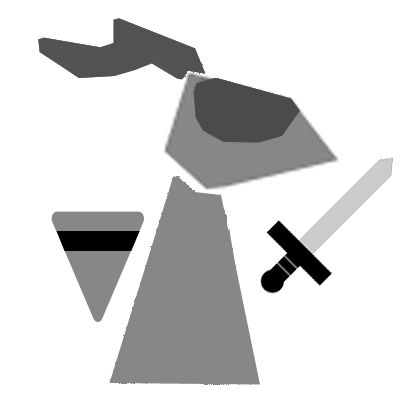
​Sword and Shield Knight - The most well rounded character on the Knight's team. Easy for a beginner to pick up and learn. Sword and shield knight has good offensive and defensive capabilities.
   weapon upgrade: Claymore sword. Speed is reduced but deals more damage and increased range. His defense also increase slightly while blocking.

Stats
Defense: 7/10
Attack: 7.5 /10
Speed: 7/10

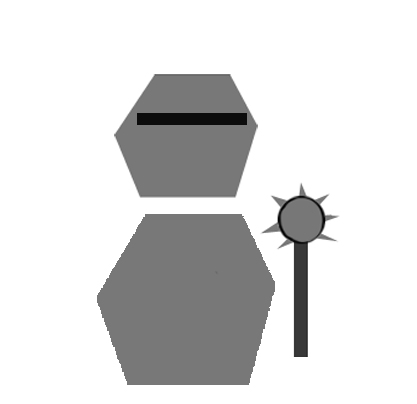
Mace Knight - This night is clad is heavy armor and is the slowest of the knights. Equipped with mace deals a lot of damage and shatters defenses. Mace Knight swings at a slower rate when compared to the other knights.

weapon upgrade: Giant mace that has a wide arc when swung. The giant mace can shatter a player's defense in a single swing. These attacks deal massive damage when they connect but can be easily dodged. 

Stats
Defense: 8.5/10
Attack: 9 /10
Speed: 6/10
Picture

Picture
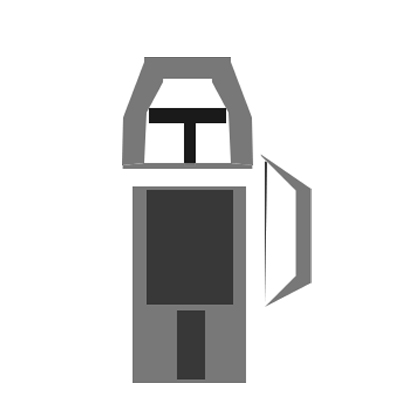
​Archer -  The archer specializes in ranged attacks and speed. The archer also has the highest jump of all the knights and can double jump.

   weapon upgrade: Crossbow that fires powerful arrows. The crossbow has a slower rate of fire but it deals more damage against defense.
Stats
Defense: 7/10
Attack: 7.5/10
Speed: 9/10

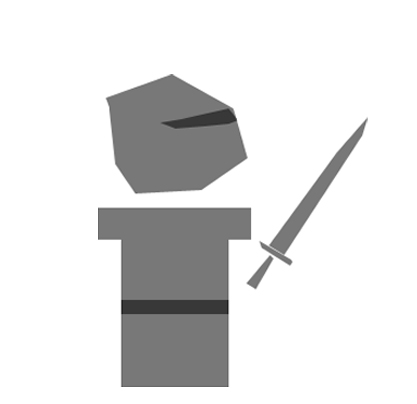
​Spear Knight - The spear knight has a good combination of quick ranged attacks and speed at a cost of armor. He can charge his attacks for more damage but these attacks will leave the knight vulnerable.

   weapon upgrade: A lance that has increased range allowing him to reach enemies that would normally be out of reach. The lance isn't much stronger than his spear but it does slightly boosts defensive properties. 

Stats
Defense: 6.5/10
Attack: 8/10
Speed: 8.5/10
Picture

Ninjas of The Unagi Clan

   The ninjas fight for the Unagi clan. They wear light clothing that allows for a greater level of agility. They can also strike much quicker then their knight counterparts.
​
Picture
Sword Ninja - The sword ninja is the most well rounded ninja. Quick  with good defensive capabilities.

   weapon upgrade:  Short sword.  With the second sword, this ninja is now capable of attacking faster with not speed or jumping penalty.
​​
Stats
Defense: 7/10
Attack: 7.5/10
Speed: 8/10

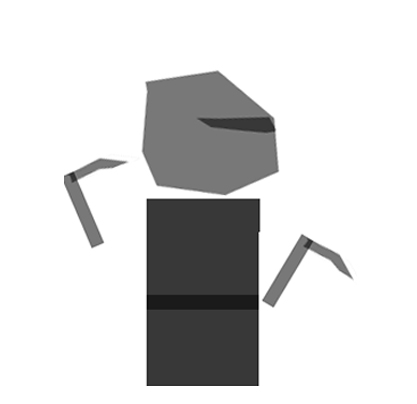
​Sickle Ninja - The sickle ninja specializes in quick close ranged attacks. However their ranged attacks are fairly weak. They have good overall speed and in a skilled players hands can be very powerful. 
​
​weapon upgrade:  A chain is attached in between the sickles allowing for more range and faster swings. The charge attack becomes a long range grapple that can drag an opponent or items toward the player.

Stats
Defense: 6.5/10
Attack: 8/10
Speed: 8.5/10
Picture

Picture
​Longbow Ninja Monk - This ninja specializes in long range attacks. The longbow takes more time to charge but can deal significant damage and can shatter an enemies defense with a fully charged attack.

   weapon upgrade: Hankyu (a short bow). This allows for faster movement around the map and allows this ninja to fire multiple arrows at once.

Stats
Defense: 7.5/10
Attack: 8.5/10
Speed: 7.5/10

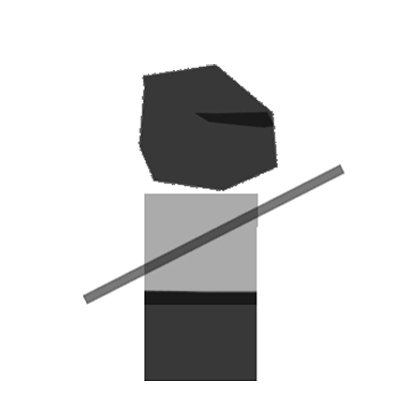
​Staff Ninja - The staff ninja does not have a lot of defense points but he can strike quickly and precisely. This ninja's power is limited, but specializes in great combinations of speed and range with a decent defense.

   weapon upgrade:  Naginata that deals a good amount of damage and has a slightly longer reach when compared to the staff, however the Naginata's defense is lower.

Stats
Defense: 6/10
Attack: 7/10
Speed: 8.5/10 
Picture

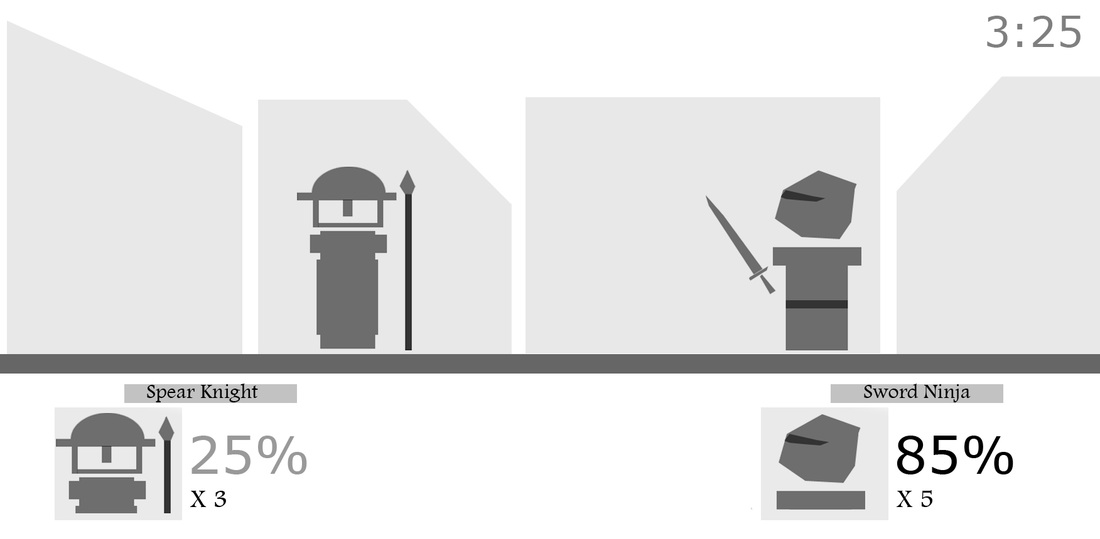
Heads Up Display (HUD)

   The Heads up display is simple and easy to read. Information such as the player's health, the number of lives they have remaining are all in display. 
Picture

Power-ups and Pickups 

  These are items that can give the player temporary advantage in combat or restore their health. Each pickup is found inside a small treasure chest that spawns onto the stage at random intervals.

   Depending on the chest, it may take one strike to open or a few to open. The larger the chest the harder it will be to open. Larger chests have a better chance of holding a rare item, such as a weapon upgrade or Golden Chalice.
​​
Picture
​Weapon upgrade -  This power-up upgrades the players character with a more powerful version of their weapon. For example the sword and shield knight will receive a claymore and the staff ninja receives a naginata. This power ends after thirty seconds.

Power-ups

​Speed Boost - This power up doubles the speed of any character that uses it. The Speed boost ends after thirty seconds.
Picture
Picture
​Invincibility - This power up makes the player completely invincible to all and any attacks for 30 seconds. The player that picks up this power-up loses the ability to double jump as long as it is active. This power-up is immediately turned off if the player falls off the stage or goes out of bounds. Invincibility ends after thirty seconds.

Pick ups

Healing Elixir - Healing Elixir will restore the health of whomever manages to pick it up. The Elixir can come in a variety of sizes. A small glass bottle will restore 15% of health, the medium will restore 30% and the large bottle will restore 50%.  
Picture
Bottle of healing elixir.
Picture
Golden Chalice - This Golden Chalic is filled with healing elixir that can be consumed continuously for up to 30 seconds before it runs out. While drinking this elixir the player can't attack, but they will restore 3% of their health with every second of elixir they drink.

  If a player is hit while drinking from the chalice, they will drop it. This gives other players the chance to attempt to steal it from their opponent. 

  Once the chalice is empty, it can be used as a weak bludgeoning device or tossed as an ineffective projectile to damage your opponents.
​
Caltrops - These are a projectilele object that once thrown will automatically take root wherever they land. Players that walk over them will be slowed down and take some minor damage. They will remain planted in the ground for 20 seconds. Players can destroy them with a few simple strikes from their weapons.

  It is advised to destroy them using ranged attacks to avoid coming in contact with them.
Picture
Picture
Magic Wand - The magic wand is a weapon that with every swing will launch a explosive sparkling projectile. The projectiles lose accuracy the further they fly.

  Each swing will drain the magical power of the wand. Once the wand is drained of power the player will toss it aside.
Smoke Pellets - The player can toss these at enemies or the ground to cause a temporary burst of smoke that will conceal the affected area. The player that tossed the smoke pellet can see themselves highlighted in the smoke, giving themselves an opportunity to strike or flee.

  If a player is hit directly with a smoke pellet their character will be momentarily stunned for a couple of seconds. The smoke pellet pick up gives the player three smoke pellets. 
Picture
Picture
Oar - The oar is a medium damage weapon with great range. It can also strike multiple enemies at once. The standard attacks are slow but it can be charged up to deal more damage. 

 However, the oar will eventually snap with use, and charged up hits will snap it even quicker.
War Kite - This item allows the player to hover above the stage. The player that pilots the Kite can swoop down to attack their opponents or drop small bombs that take a while to detonate but have a decent sized blast radius. 

 The kite lasts until it is destroyed. If an opponent lands a charge attack, the player on the kite will be knocked off and the kite will be free for anyone to take.

 When the kite spawns on the map, it will drift around. If No one picks it up, it will simply fly away.
Picture

Abilities and Attacks

Defend

   Defend - Players can defend themselves from any attack using the defense button. The amount of time and damage they can negate while defending is based off of their denseness rating. The player can only defend for so long before their defense is broken. ​
Picture
   If their defense is broken, they will be stunned for a few seconds, allowing an opponent to capitalize. Certain attacks and items are great at breaking defense. Charged attacks can shatter an opponent's defense in as little as one attack.

  The amount of damage a player can deal to an opponents defense is based on their attack stat. Higher attack means they can deal more damage and destroy their opponents defense quicker.
Dodge - Players can quickly dodge forward or back while on the ground or in the air. This is meant to be used as a way to quickly move around the map or to avoid incoming enemy attacks as well as cross level hazards. The speed and amount of times a player can dodge is not affected by any stats except for the speed boost power up.

Jump/Double Jump - Players can jump and while in the air jump again for a double jump. The height of the players jump and double jump is based off of their speed stat. 

​Melee Attacks - Every character in the game has melee based attacks. Certain classes specialize in melee fighting. Melee attacks can be utilized in combination of one another to unleash devastating combos. Melee attacks are the primary way players will deal damage to their opponents. 
 
  Different characters have different melee attack speeds. Some characters can attack quickly and in great succession where others have a longer wind up time but deliver more damage. This is based off of their speed stat and character class.
​Ranged Attacks - Every character has a ranged attack. Ranged attacks are attacks that can be done from a safe distance to attack an opponent. Certain character classes specialize in ranged attacks. ​

Charged Attacks - Every character can charge their attacks, whether they are ranged or melee attacks. Charged attacks do more damage, shatter defense quicker and knock opponents back.

 To charge an attack, the player must hold their attack button (or attack combination) until their weapon glows (this usually takes a few seconds. Charge up speed is not affected by any stats or power ups). Once the weapons is charged the player must release the button to unleash their attack.
   Charged attacks may be charged while standing or in the air (while the player drifts down after a double jump). Charge attacks can be interrupted if the player is struck while charging. Certain weapon pickups can also be charged up as well and can deal more damage or add an additional effect to the pick up.

More to come in part 2

  Thanks for taking a trip down memory lane with me. There is a bit more to Knights vs Ninjas, in fact so much more that I am going to have to cover the rest of it in a second blog post. Part 2 will go over terrain and a bunch of  stages I designed for the game. Including a stage that didn't make the initial blog post. 

 Part 2 will be up at a later date. Follow me on twitter to keep up to date with my blog, twitch, podcast and more. Thanks for reading!

   Do you have questions, comments or concerns? Email us at [email protected]
Follow us on Tumblr, IndieDB, Twitter, Mixcloud,Soundcloud,clowdy, instagram and Youtube

- Danny Q
@Dannylv100
​
0 Comments

How to Play "The Longest Yard" in Halo 5

2/19/2016

0 Comments

 
Picture

Quake 3 in Halo 5

  Hey! How is it going? I just wanted to share with you my first Halo 5 Forge map. I wanted to learn the basics of Forge so i thought it would be best to make a map that I always admired. This map is meant to be a homage to The Longest Yard from Quake 3 Arena. However, I designed the map to be played with the Halo 5 mechanics (Thrustes, Spartan Charge, Ground Pound, Clambor).

How to Download and Play "The Longest Yard"

   ​If you would like to download and play The Longest Yard, all you need to do is follow my Xbox One gamertag, Dannylv100.

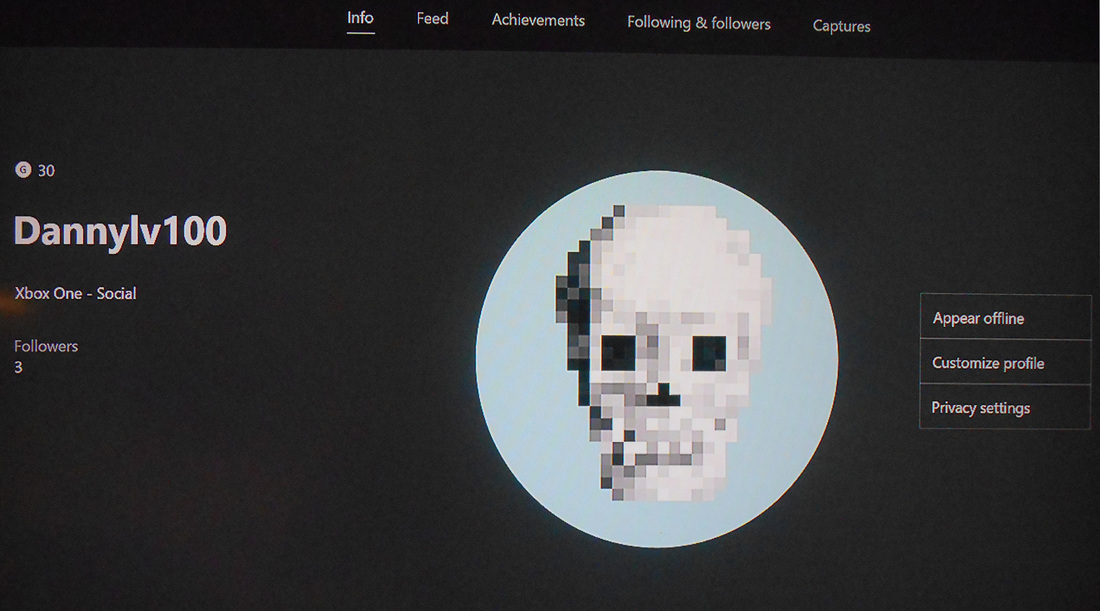
Step 1: Follow dannylv100 on xbox live

   On the Xbox dashboard, go to your friend list and select the search option. Type in Dannylv100 in the search box and when my profile pops up, add Dannylv100 as a friend. You are now following me. 
Picture
Dannylv100 Xb1 profile.

Step 2: Find dannylv100 on your Halo 5 friends list

Boot up your copy of Halo 5. Once you reach the main menu hit the "X" button to see your friends list. If you are following Dannylv100, you will be able to find my account in your friends list.   
   

Step 3: Find Dannylv100's File Browser

  Once you selected my account you will be able to view my information and stats. At the bottom of that list you will see a section that reads File Browser. Scroll down to Map Variants and inside that tab you will see The Longest Yard. Select that map and download.

Step 4: Download the Game Mode

   After you downloaded the map, back out to the File Browser and select Game Mode Variants. From that tab select FFA Q3A RULES (Free For All Quake 3 Arena Rules) and download.

​   You will now have "The Longest Yard" and FFA Q3A RULES downloaded into your copy of Halo 5. 
Picture

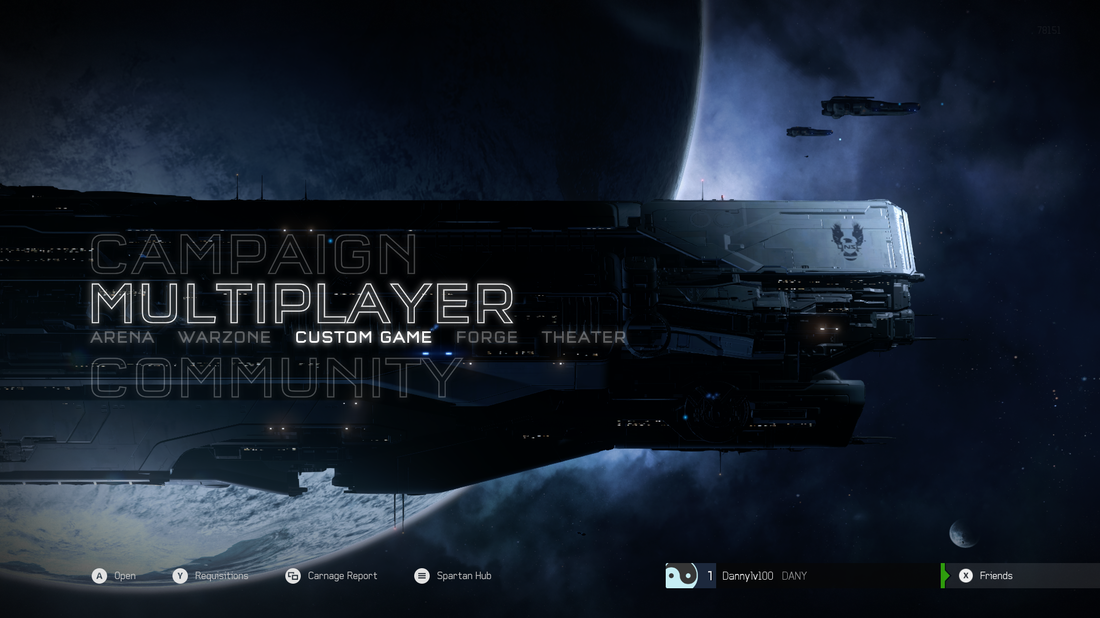
Step 5: Host a Custom Game

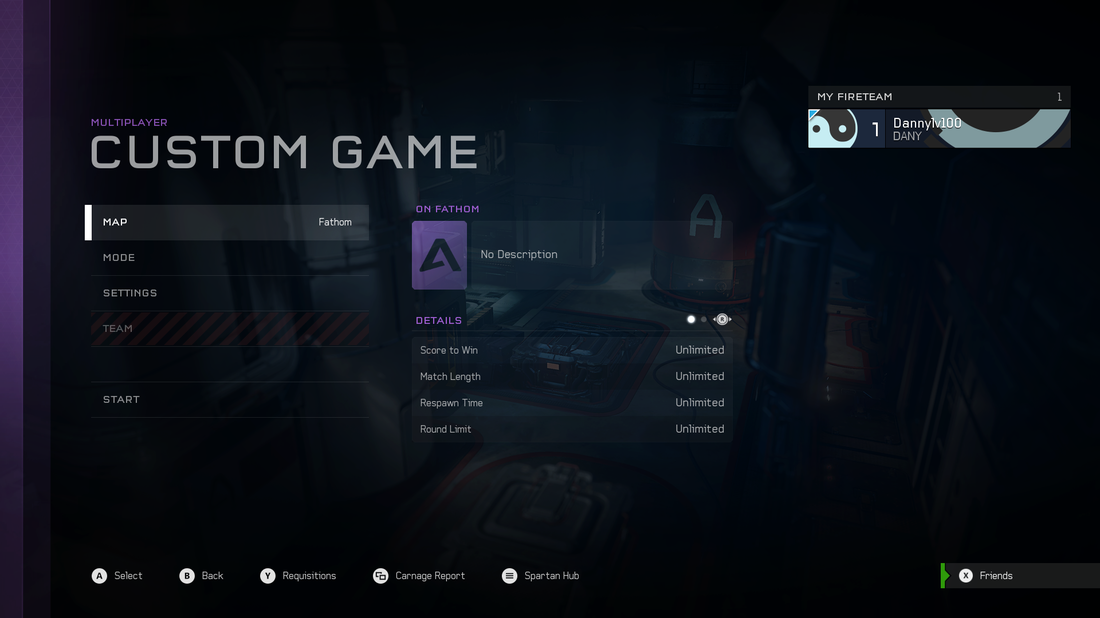
   Now that you have both the map and the game mode, you will need to back out into the main menu. Scroll down to the multiplayer section and select Custom Game.
Picture
Change MAP to The Longest Yard and Game Mode to FFA Q3A RULES.
   Once you are in the Custom game menu, be sure to select MAP and go to your BOOKMARKS tab. You should find any level you have downloaded in this tab. Scroll down until you find The Longest Yard. 

  After you have the map selected, back out till you see GAME MODE, select that and scroll down to BOOKMARKS and select FFA Q3A RULES.

Step 6: Play the Map

  With the map and game mode loaded you are now ready to play the map. Invite your friends (recommended 4-6 players) and start the game! 

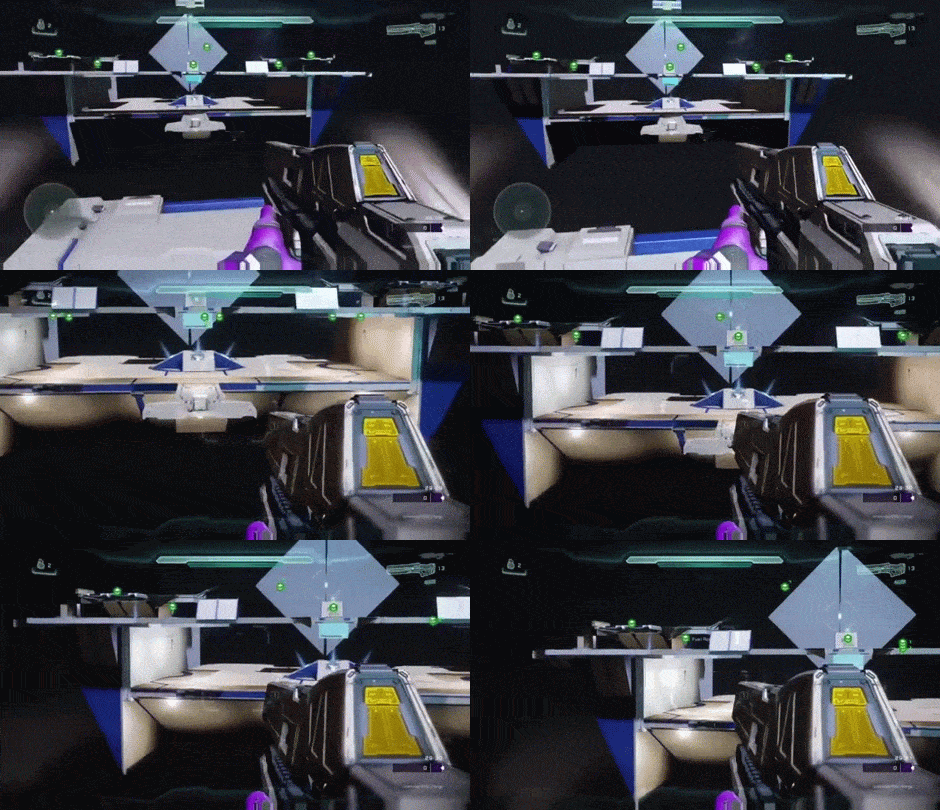
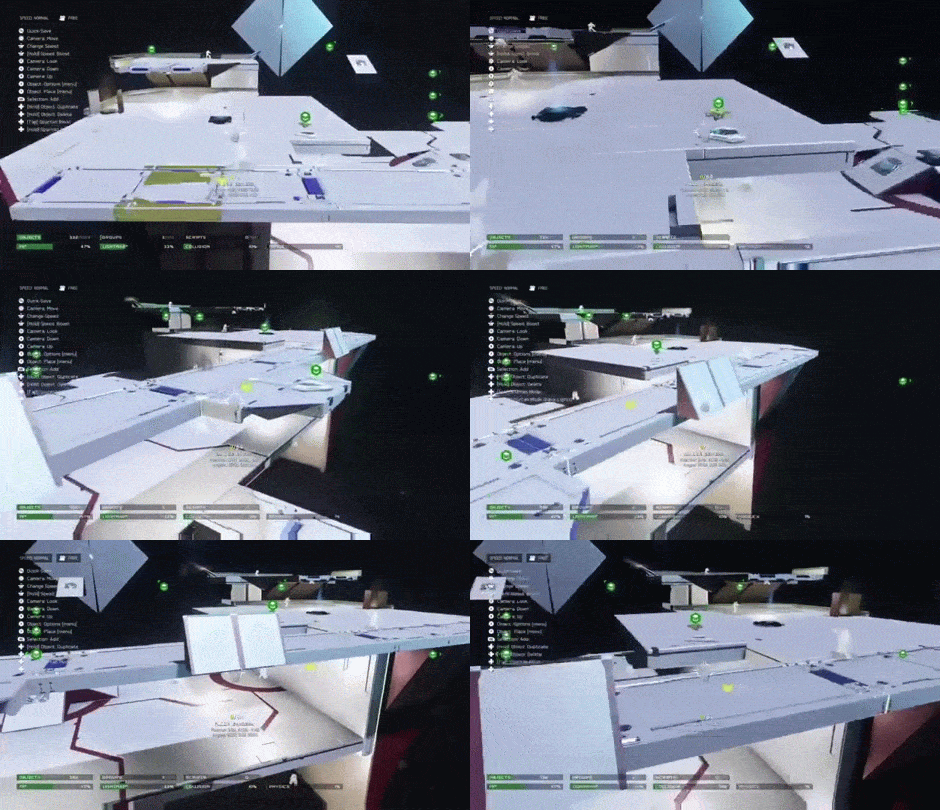
The Longest Yard - Images 


Tips for playing The Longest Yard

- There is very little cover, keep moving.
- Use your thruster pack while you are airborne to adjust where you land.
- Do not spartan charge into launch pads. This will slow you down and lead to your death.
​- The scattershot will make short work of enemies up close. Use your SMG to keep Fuel Rod Players at a distance.
- Use the teleporters to move around the map faster and get behind enemies.
Picture

Game Mode - Rules and Settings

​ - Changed starting weapon to SMG. No secondary weapon and Turned off all grenades and grenade pick ups.
​- Turned off intro cinematic. 
​- Turned off Radar
- Set to Free For All Game type. Score limit is recommend to be set at 20
-  Thruster recharge speed to 50%
​- No Vehicles of any kind

Power Weapons and Pick Ups

Note: If you don't like The Railgun, it can be substituted with the Beam Rifle. ​
​ Scattershot (x2)
Fuel Rod Cannon (x2)
Railgun (x1)
Overshield (x1)
Damage Boost (x1)
​
   Pro TIP: If you want an even more authentic Quake experience, turn off the Spartan Charge, Ground Pound and Smart Link scope. Do not turn off the thruster pack, as it is crucial for using with the jump pads and map traversal.​​ 

Show Me Your Moves!

The Longest Yard is my first creation/Homage that I made for Halo 5. I plan on making a few more maps in the coming weeks. You can follow me on twitch to see my progress. I am currently working on what will become a Big Team Battle Map.
Picture
   If you decide to play my map, please feel free to leave a comment, tweet me or email me at [email protected].

   If I get any videos/images I will be sure to share them on twitter or even make a blog post about them.Thanks you so much for reading! Stay tuned for more!

   Do you have questions, comments or concerns? Email us at [email protected]
Follow us on Tumblr, IndieDB, Twitter, Mixcloud,Soundcloud,clowdy, instagram and Youtube
- Danny Q
@Dannylv100​
​​
0 Comments

How To Make Warzone More Accessible

1/29/2016

0 Comments

 
Picture

More Accessibility ​

   Warzone is one of my favorite modes in Halo 5. It is the kind of game mode I always wanted. Taking on a large team of enemies and Ai combatants. When it all comes together, it is just awesome!

  Unfortunately, I haven't had much luck converting my friends to Warzone enthusiasts. Warzone can be a very frustrating and crushingly difficult mode for newcomers. The size of the map, the high player count, the Ai bosses that can kill you in an instant. The sheer chaos of the entire experience can be extremely overwhelming to a new player.

   As a veteran of over two hundred Warzone matches and after analyzing common complaints from my friends, I have come up with a few game design solutions that in my opinion would improve this game mode.

Improved Killcam

   Warzone is a huge game mode featuring a gigantic map and twenty four players and Ai enemies that attack either team. One issue I encountered with this set up is, well this mode can become chaotic very quickly. Players will oftentimes find themselves caught in the crossfire on a regular basis.
Picture
   I know, some of you out there might be saying "But Danny, it is supposed to emulate the chaos of war!" True. The issue here is that this combination of giant maps and high player count can lead to a quick and confusing death. A death with little or no information to how or why you died. 
​
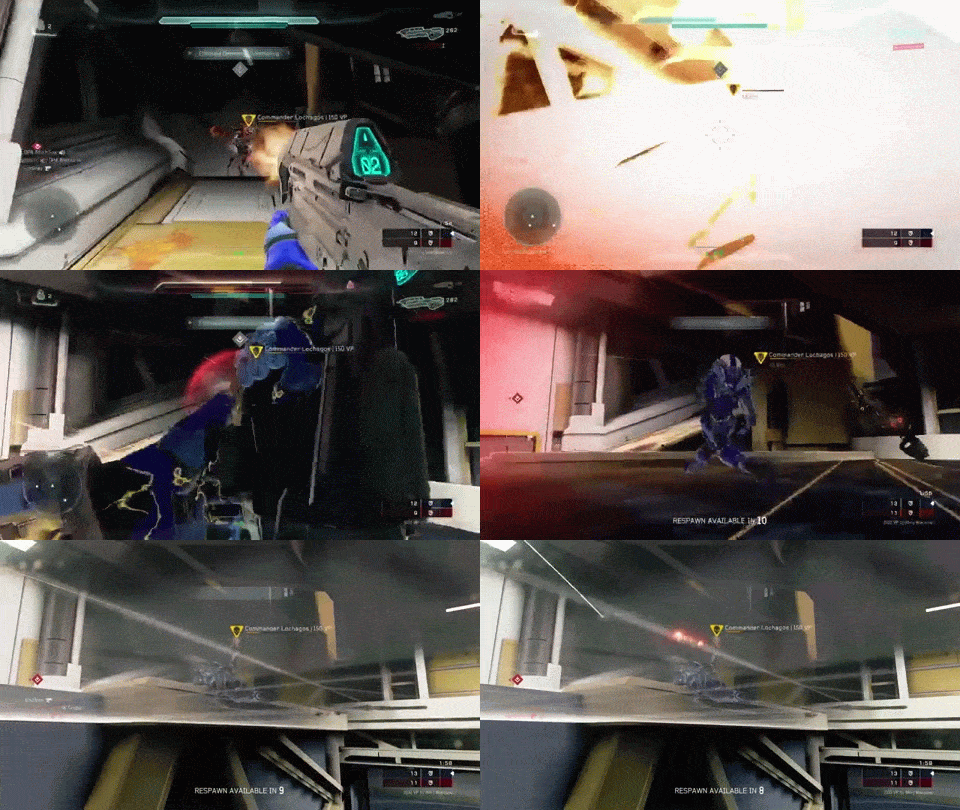
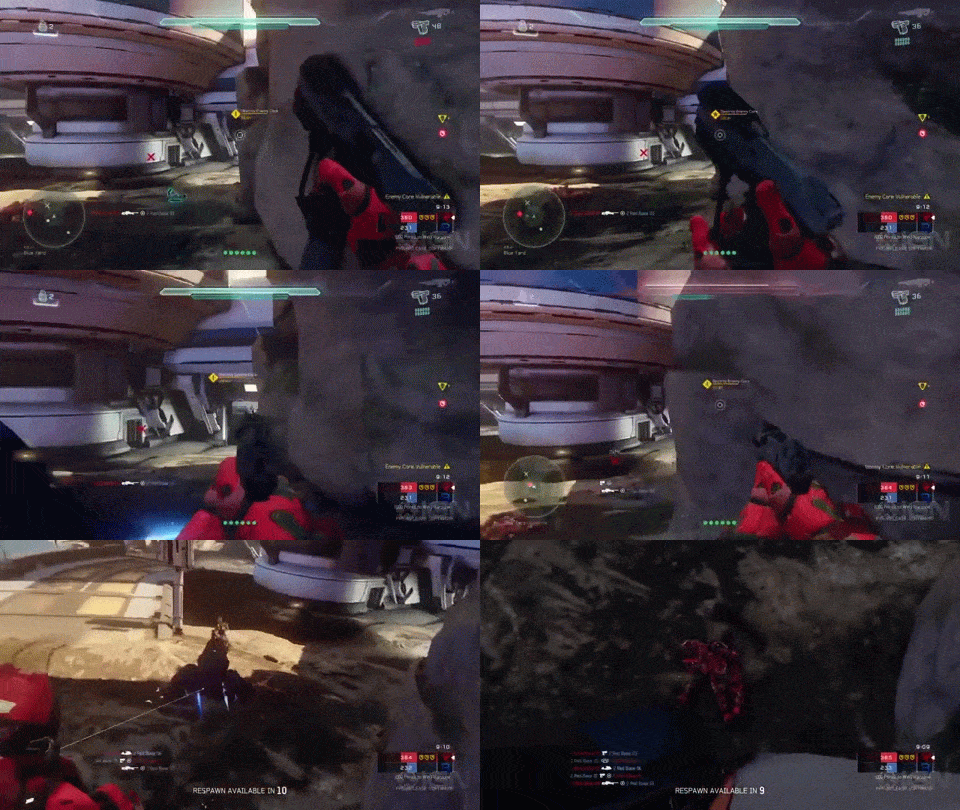
   Oftentimes, I find myself dying and having no clue where the shots came from.  When I die, the camera might point in the general direction of where my attacker was but Often times it might just float around in no particular direction.
​
Picture
An example of the unhelpful Halo 5 kill cam. Notice how it points straight to the ground.
Picture
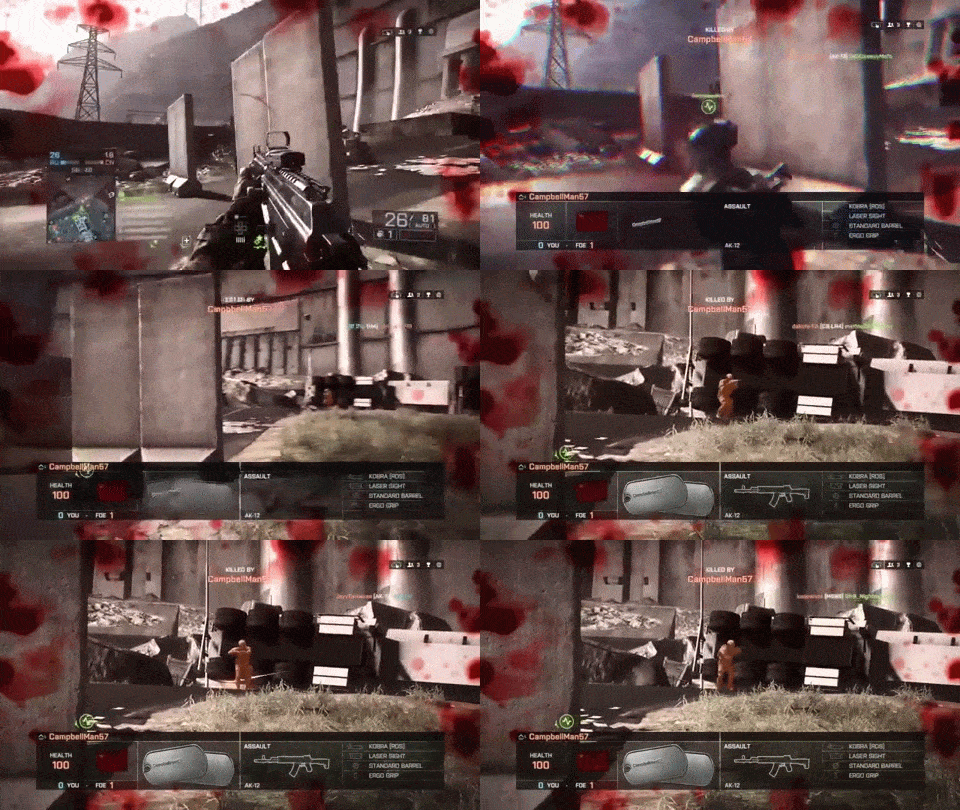
The Battlefield 4 kill cam gives the player useful information.
    How do we mitigate this issue? We add a kill cam. And to be very specific, we add one that functions identical to the one from the Battlefield series (pictured above). 

Pros of adding a Kill Cam similar to Battlefield 4

- Will show you where the shots came from and how much health/shield the enemy had remaining.
- What kind of weapon/vehicle, booster the enemy was using. 
- Will highlight a players position. If any player is using an exploit, they will be exposed.
- Help lower a player's frustration level and allow them to avoid making the same mistake twice.

Add A Map 

  When playing with some of my friends, I had a hard time explaining the map layout to them, especially in the middle of the game. At the bottom left of the HUD is text that tells you where on the map you are located. This can help players identify their current location, but with no map to reference it is kind of pointless to a new player.
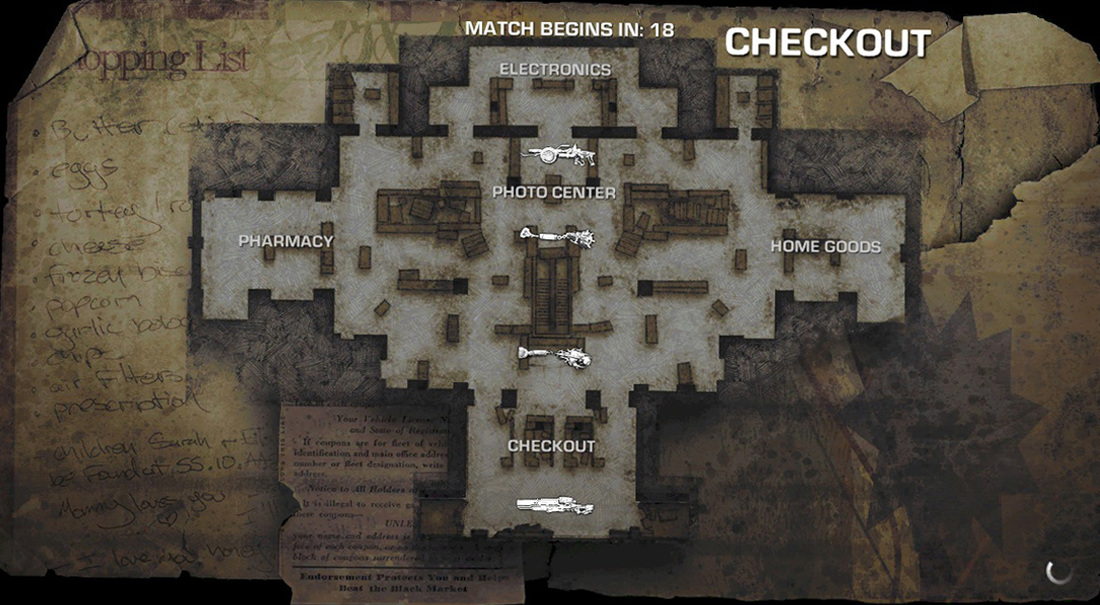
   In Gears of War 3, before every multiplayer game the player are shown a top down view of the map. On the map, all of the landmarks are clearly labeled. 

  Whenever the player dies, they have the option to look at the map. During the match the player can easily access it and depending on the game mode it will even display objectives, weapon locations and etc. 
Picture
The map from Gears of War 3.
Picture
Give the player the option to look at the map during this intro before the game begins.
   Warzone begins with a short video that introduces us to the map. This intro video is unskippable, so why not allow the player to hit a button and view a map that will tell inform them of bases and key landmarks?

   However this shouldn't be the only time the map is accessible. During gameplay and in between spawns, players should be able to press a button that will quickly display the map with everything clearly visible.
   The ideal Warzone map would display all of the main bases, the location of enemy bosses once they have spawned into the map, the health and status of each team's respective core and who controls each base.
   The map could also possibly display where your allies are on the map as well as enemies, well this would have to be tested out as displaying the position of enemies on the map might be a game breaker.Perhaps the map will temporarily display enemies that have been spotted by your allies or enemies that are currently engaging a boss.

Semi Related - Possible  Announcer Bug

   This is an issue I noticed while playing. Sometimes when I am killed and spawn back into the map I will miss the in game announcer declaring that an enemy boss has appeared on the map. With the map, the player would  would simply check the map during gameplay and the player would know when and where an enemy boss has spawned on the map. 

  I would also like to say that this is a bug that I have personally encountered on a numerous occasions, and it is most likely a obscure glitch. As mentioned before, adding a map with the whereabouts of enemy bosses would mitigate this issue entirely.

Adjust Victory Point Distribution

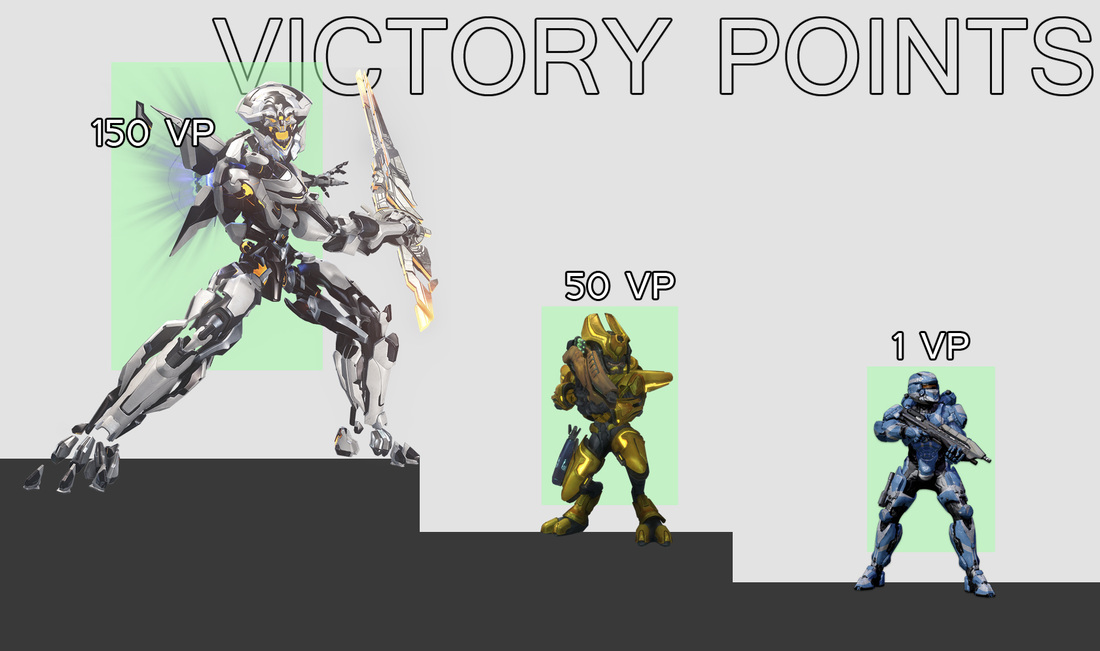
   One of the most crucial things in warzone is earning Victory Points (VP) by eliminating enemy bosses. Each boss is worth a hefty sum of points. Eliminating these bosses can help the player's team get a strong lead or close the gap. 
​
   One of the issues I have with the bosses in Warzone is how points are distributed. On several occasions my team and I have lost the game because the other team stole the kill.   
   To clarify, the way the points are distributed is not dependent on how much damage was done by either team, but simply by whomever lands the final hit.

   Nothing is more frustrating then making a huge comeback only to have the other team pull ahead with a massive lead after they land the final hit on one of the final boss that you and your team were in the process of eliminating. 
​
Picture
From Left to Right: Legendary Boss (150 VP), Normal Boss (50 VP) and Enemy Player (1 VP).
   I have experienced on a few occasions the enemy team stealing the boss points just get a huge lead in points, which at this point means we lost and there is no more coming back.

​   This is especially frustrating when the final boss has already spawned and been taken out. The only way to win at this point is to capture all three bases and destroy the enemy core. The chances of this happening is extremely low. I have never been on a team that has at this point captured all three bases and destroyed the enemy core to win.

Damage Perentage System

   My suggestion to fix this issue is to change how points are distributed. This is what I suggest, if the Blue team lands majority damage, they would earn majority points. If a boss is worth 150 VP, and Blue team deals 75% of damage they would receive 112 points, where as the Red Team dealt only 25% of damage would only receive 38 points.

  If 100% of points is 150, then half of that is 75. If both teams did equal damage to the boss, they should receive equal points. As the system currently stands, it leaves a bit of room for chance. In my opinion we should reward teams and players that use team work to coordinate an assault on a boss, not reward players that sit back and take potshots. 

Back to Battle

   These are my suggestion on how to make Warzone more accessible to new players and to the players that stick solely to the arena section of Halo 5's multiplayer.

   Warzone is one of my favorite game modes and I do feel that these suggestions would improve Warzone overall and make it more accessible to more players. If you are someone who is currently playing Halo 5 and has not tried Warzone, you should definitely give it a chance. I mean, what else are you going to do with all those Req cards?

   Do you have questions, comments or concerns? Email us at [email protected]
Follow us on Tumblr, IndieDB, Twitter, Mixcloud,Soundcloud,clowdy, instagram and Youtube
 - Danny Q
@Dannylv100​
​
0 Comments

Redesigning Requisition Cards -  UI Design (Halo 5)

11/27/2015

1 Comment

 
Picture

NOTE: I do not work at 343. I do not claim to work for this game studio, this blog post is just me talking about my thoughts on design and UI.

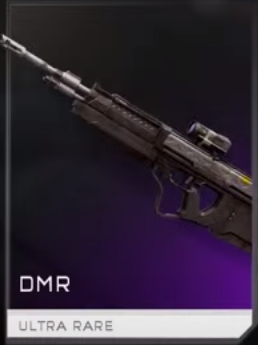
  After hours and hours of hard fought matches on the Warzone and in the Arena, I finally got my highly sought after DMR card. Now, if you are not a fan of Halo, the DMR or Designated Marksman Rifle is an excellent semi automatic rifle that hammers down covenant and online opponents like no other.
​
Picture
   I hopped into Warzone mode ready to unleash the fury that is a virtual bullet, only to discover that the DMR is a level 8 Requisition. If you are not familiar with Halo 5's Warzone mode, that meant I would have to put in a lot of work per game to even get to use that card, or that it wouldn't become available until late in the game, you know like in the final 4-5 mins before warzone is over. ​

​   This isn't a post to complain or whine, it is to talk about something I didn't realize until I got this coveted unlock. I am here to talk about the UI and layout of the Requisition cards. I have a few suggestions that might spruce things up a bit, and make the cards more informative.

  To the left, you will see what the DMR card looks like. Overall, there is no indication that it is intended for the Warzone mode, but even more blatant is the fact that you can't even tell what level the card is. You don't know until you are in the game. 
​

  I also want to mention the layout of the weapon requisition screen in warzone. I have a few suggestions that I think, in my opinion, might just make this system a bit more intuitive. 

Weapon Select (Req Station) UI

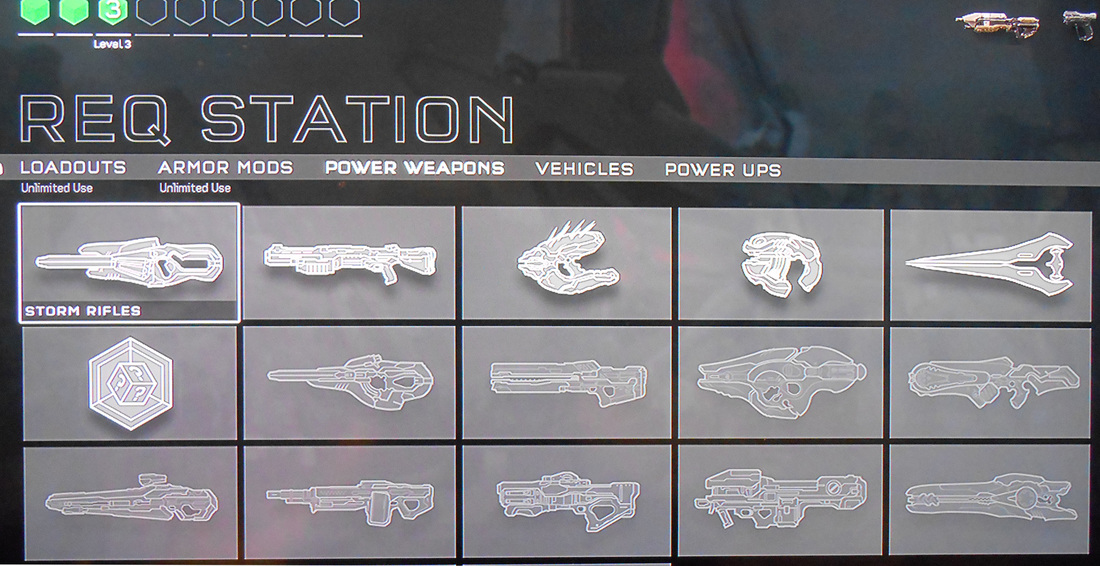
  When you start up a game of Warzone you will find yourself at the requisitions window. From here you can select which weapons, vehicles, armor mods etc you would like to spawn with. All weapon, vehicle and power up cards are one time use, and go away if you are eliminated in battle, or when the game ends.

   The issue I have with this, is when you go to one of these tabs, all the weapons are lumped together. They do become highlighted once the required requisition level is achieved, but in my opinion, it would be better if we had the weapons catergorized in rows based off of their level. 
Picture
In game layout.
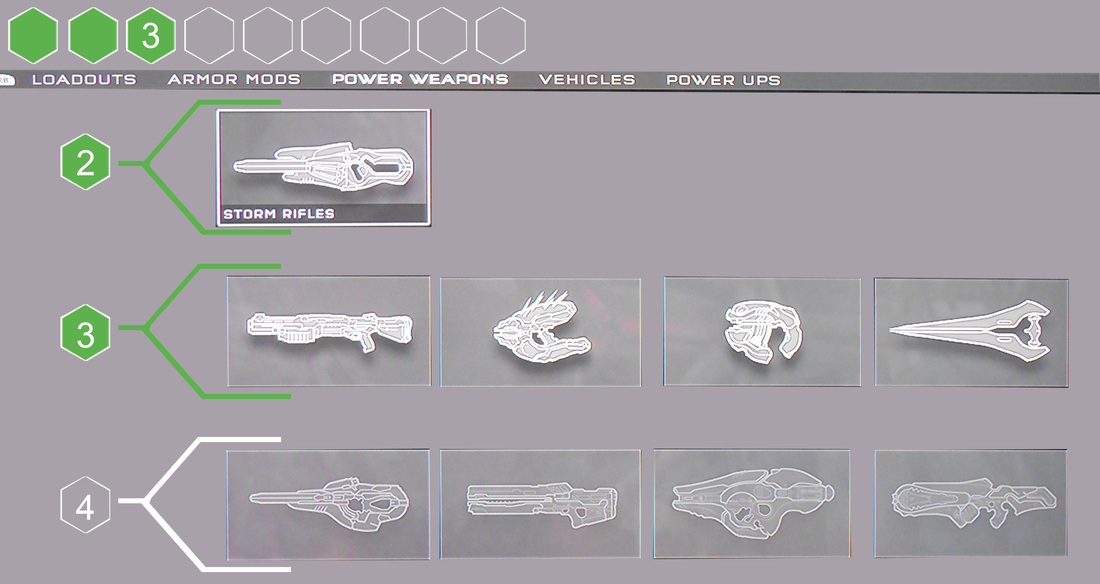
  To the left, you will see what the weapons tab currently looks like. All the weapons are on screen with the currently available weapons be highlighted.

 The issues that I have here is that we do not know what level any of these weapons are. We can assume that all of these weapons are level 3 or less.

  In the layout I came up with, we have weapons organized in a row. Level two and three are currently highlighted because as we can see in the top left, we have access to level 3 items.

​   You can also clearly see that the level 4 items are inaccessible as the Level 4 box is empty. With this setup you can see immediately what weapons are available to you and what their cost is.
Picture
Layout with my changes.

Requisition Card Layout

Weapon Cards

  Majority of weapon cards you unlock in these booster packs are "power weapons", weapons that can not be equipped as your default loadout. Weapons such as the rocket launcher can be equipped once you achieve the appropriate level and if you are willing to spend a rocket launcher card. You can not spawn with the rocket launcher if you do not have any cards to spend.

​    Weapons such as the Assault Rifle, Magnum, Battle Rifle, SMG and DMR are loadout weapons. The player just need to unlock the card to make them available as part of their loadout, however some of these cards still need to be unlocked by reaching he appropriate level. The default SMG is a level 4, after that level is achieved the player can spawn into the game with the SMG equipped at no loss of cards or points. 
   So here we have a variant of the standard SMG. This variant has a suppressor attachment and unlike the default SMG is a level 5 weapon. The only issue is, you wouldn't know this until you hop into a game.

   The changes I made add a clear level in the top left corner. I also added some text at the bottom, informing the player that it is a variant loadout weapon and at the bottom of the card I made sure to make it very clear that this card is intended for the warzone game mode.
   Now, I know some might say that adding the "Warzone" text at the bottom of the card might be pointless, but while playing in the arena, I occasionally overheard people opening up booster packs and some of these people have said things such as "What do I do with this weapon/vehicle?" and "What are half of these cards for?".

    It made me realize that some players that predominately play Arena have possibly never played Warzone as they had no idea what some of these cards were intended for. And I am honestly not surprised, as players that only player in the Arena, only a few cards would be used by them (Assassination animations, Armor/Helmets, Weapon Skins, Req Points, XP/RP boosters). I was still honestly surprised, Warzone was a mode that I had been anticipating for quite some time. 

Vehicle Cards

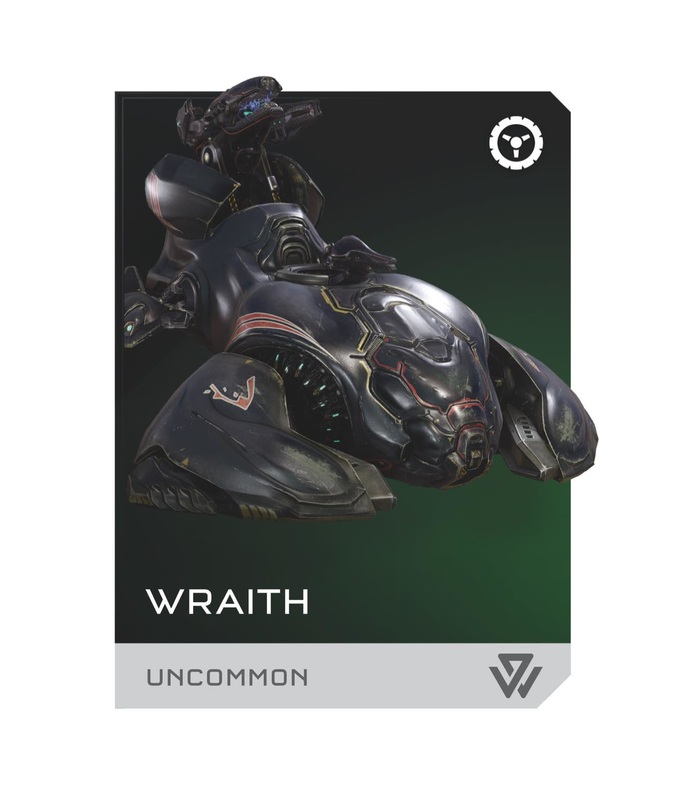
  Just like the weapon card, vehicle cards suffer from the same issues. To the left you see the card as it currently is in game. The only information give to you is that is is an uncommon card and it is called "Wraith". The card currently in the game doesn't do much in terms of conveying information to the player and that is where the current design falters in my opinion. 
Picture
Current vehicle card.
Picture
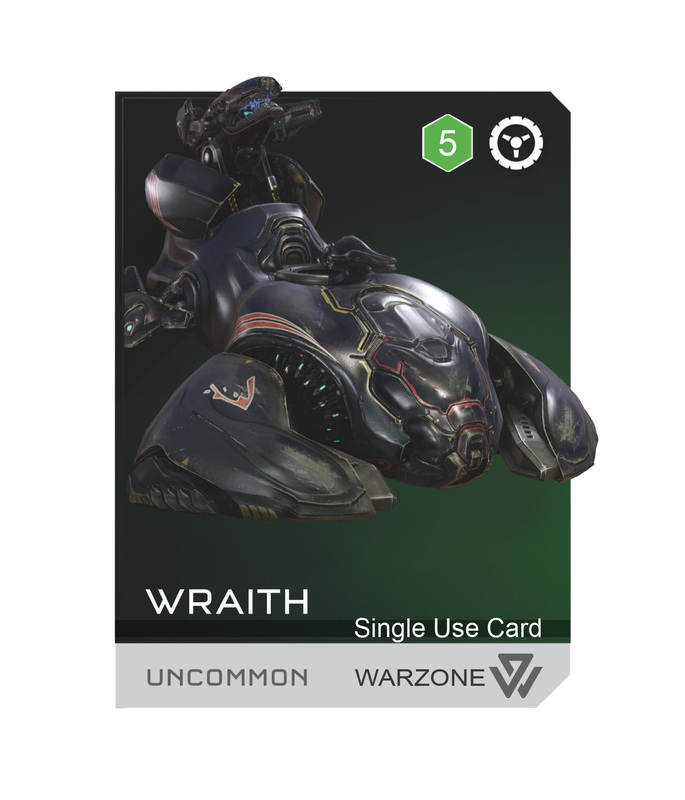
Vehicle card with my suggested updates.
   With my update we once again see that this card requires the player to reach level 5, it is a single use card and it is for the Warzone game mode.

Requisitions

   To summarize my thoughts, I would just like these cards to convey more information (level, use, type, game mode). I also believe the benefit of letting players know what game mode these cards are intended for might get more players to try Warzone, which is one of my favorite game types in recent memory.

   To hear more about my thoughts on Halo 5, check out Divercast Ep. 20 (coming soon) and be sure to follow me on twitter, as I plan on streaming the creation of a custom map once Forge mode is made available. Thanks so much for your support and I hope you enjoyed this article.

   Do you have questions, comments or concerns? Email us at [email protected]
Follow us on Tumblr, IndieDB, Twitter, Mixcloud,Soundcloud,clowdy, instagram and Youtube

- Danny Q
@Dannylv100

1 Comment

Freeze-E Frosty's - Now on Itch.io

5/30/2015

0 Comments

 
Picture
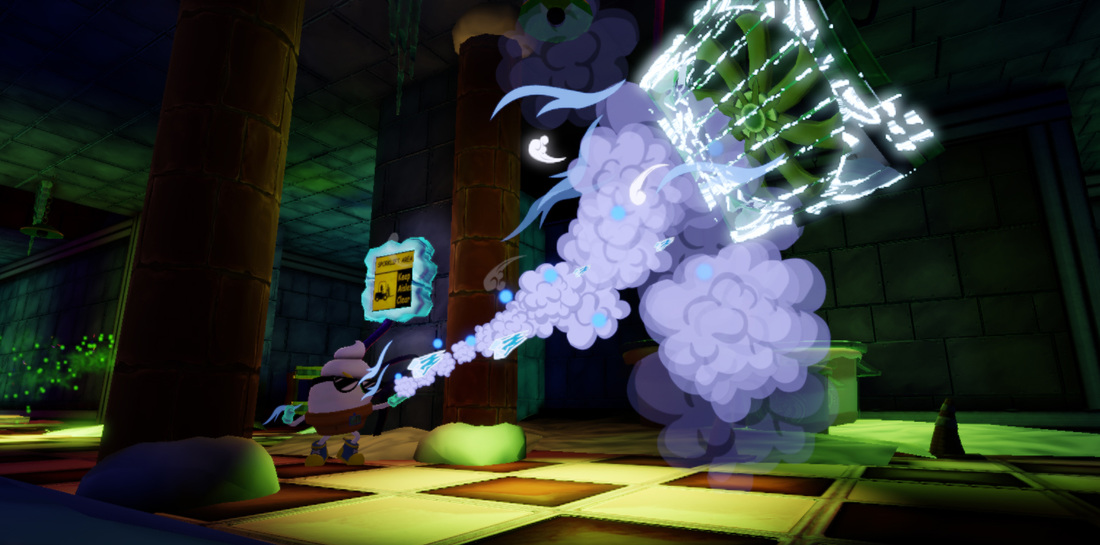
   We have just launched our Itch.io page! It has taken us far longer then anticipated, but it is finally done. Please feel free to visit our page and give it a download!

Picture
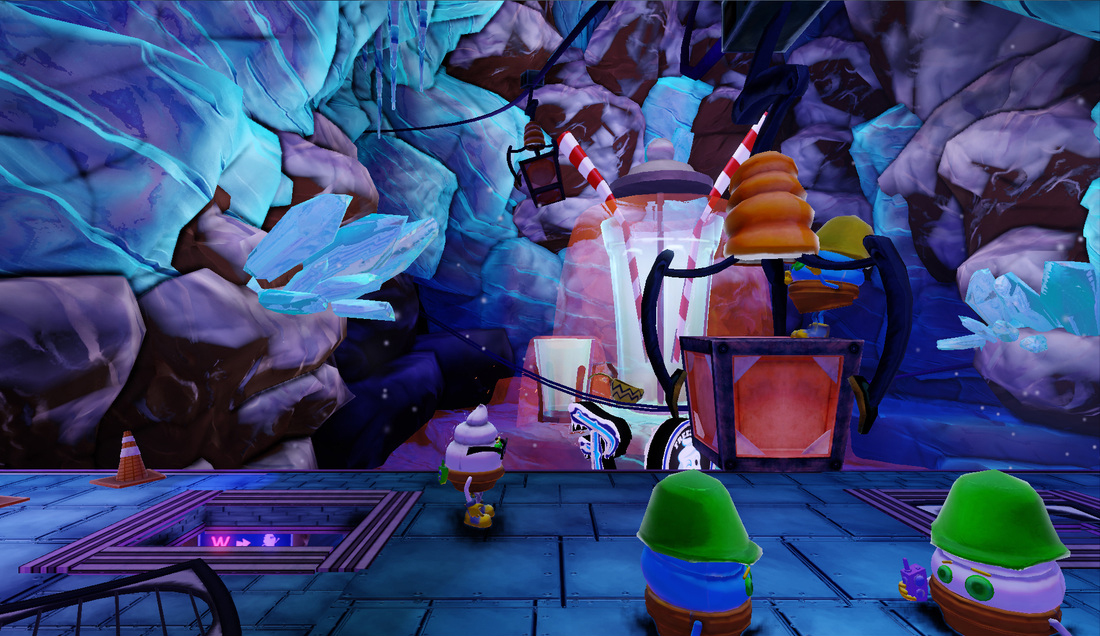
​   Working as an ice cream cone isn't easy....especially when you accidentally blow up the world-famous Freeze-E Frosty's ice cream factory! Help Frosty get through this ridiculous action-adventure game and save your factory from certain doom!
Picture
Picture
Picture
Picture
- Play as Frosty, an Ice Cream Cone too cool for school and not afraid of anything!
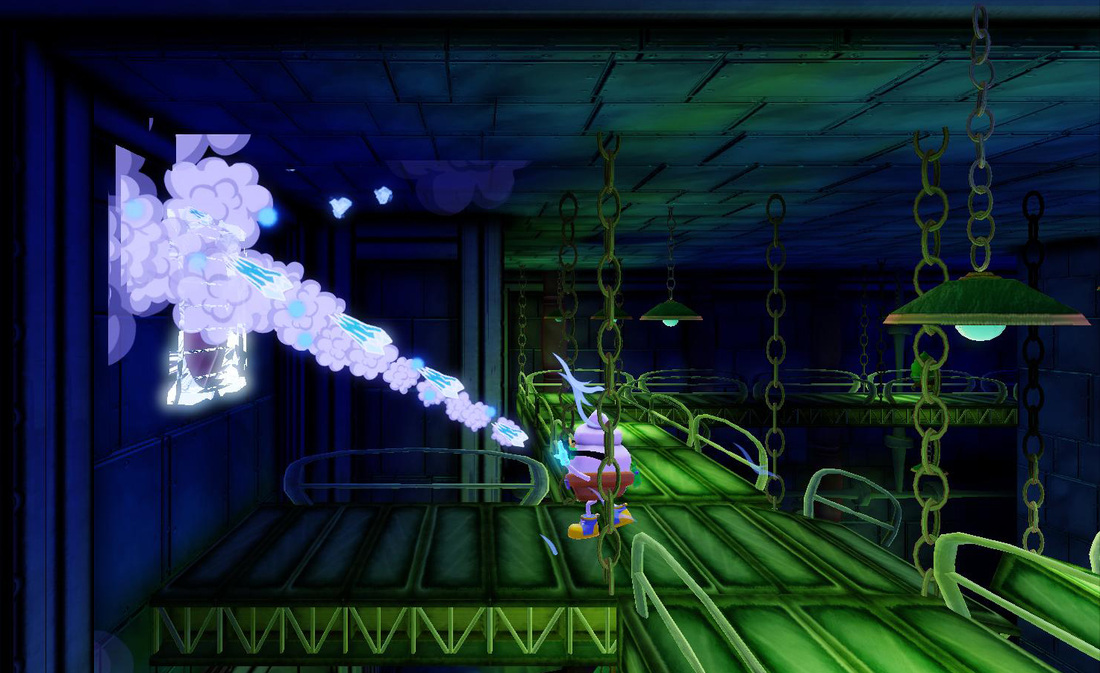
- Use Frosty's signature Freeze Gloves to freeze and shatter obstacles!
- Use your Dash Boots to speed through the factory and to dodge danger!
- Precise Platforming Action!
- Awesome Original Soundtrack!
- 3 Exciting levels to explore! From the friendly Main Entrance to the dark and creepy Lower Factory!
- Take on the Ancient Terror of the Ice Cream T-Rex in a one on one boss battle!
- Awesome 2.5D Cartoon visuals come to life with the power of the Unreal Development Kit!
Picture
​Recommended System requirements:
Operating system: Windows XP / Windows Vista / Windows 7
Processor: Intel Pentium 4 @ 1.5 GHz / AMD Athlon XP 1500+
RAM: 2 GB (Windows XP) / 4 GB (Windows Vista)
Video Card: Nvidia Geforce 260 GTX / ATI Radeon X1300 (256 MB)
Sound Card: Compatible with DirectX
Free hard drive space: 300 MB 

Picture

Picture
​Pay what you want or download for FREE! All proceeds will go towards the development of our next game.

Picture
   Do you have questions, comments or concerns? Email us at [email protected]
Follow us on Tumblr, IndieDB, Twitter, Mixcloud,Soundcloud,clowdy, instagram and Youtube

Picture
​​   Don't forget to check out our affiliate IndieBox.com! Indiebox is a subscription service that delivers collector edition indie games straight to your door step every month. Referral code: Divercast.    

- Danny Q
@Dannylv100
​
0 Comments

E3 2014 : Indie Dev Meet-Up And Games I am looking Forward To

6/18/2014

0 Comments

 
Picture

E3 2014

Picture
   I got the chance to spend a few days at E3 this year. I was only attended the first two days, and I didn't get a chance to look at everything, but I did get a chance on getting hands on with a few games.  

Indie Dev Meet-Up

   Epic was kind enough to host an Indie Dev Meet-Up at one of my favorite bars,  The Golden Gopher. Thanks Epic for hosting this event. I am still wearing my wristband!

   I had some great conversations with a few different Indie Devs. One of the highlights of the meet-up was just getting the chance to speak with so many indies. It was really inspiring to talk with so many talented people.
Picture
Indie Dev Meet-Up at the Golden Gopher.

What I am looking Forward to

    I was only at the show floor for a day and for the majority of the time I was stuck inside of the south hall, so I didn't get a chance to check out the West Hall.
Picture
   I have been waiting to get a next gen console, but after this E3 I think I need to hurry up and pick something. I am currently a PC/Xbox 360 guy. There are a lot of interesting games coming out on each console.  A game like Mario Maker is dream come true.  

Games I am Looking Forward to:

- Alien: Isolation
- No Man's Sky
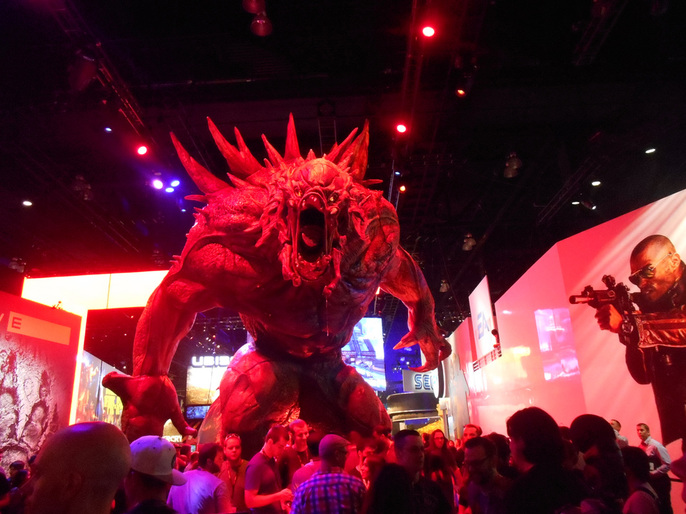
- Evolve
- Cuphead

- Mario Maker
- Mass Effect 4
- Star Wars: Battlefront 3
- Night In The Woods
- Titan Souls
-Sunset Overdrive
Picture
  I also got a chance to try out the Occulus rift. Man the potential for that is massive. I only tried a virtual reality sound demo with it, but it is so engaging, it is hard not to see this as the future of games.

Picture

Alien : Isolation - Demo

   While inside the south hall I came across the demo for Alien: Isolation. I had been following this game for quite some time and I am a pretty big fan of the first two Alien films.

   Alien: Isolation lived up to the hype. It was probably one of the first times I have ever played a demo at E3 and was convinced that the game was legit. If you get the chance to play the demo, do yourself and favor and do it.

  
The game lived up to my expectations and if the demo is indicative of what the full game is going to be, it is going to be great.

   Shout out to the guys running the Isolation booth!

   The best thing about this Years E3 for me was, meeting a bunch of new people. It is always refreshing to see talented developers out there making awesome games. I am already looking forward to next years E3.

- Danny Q
@Dannylv100
0 Comments

GDC 2014 Roundup

4/28/2014

0 Comments

 
Picture

Open up the Vault!

   I put together a collection of some of the talks I watched online, for free from the GDC vault website. I wanted to share my list of what I found to be the most informative, interesting and educational talks from the GDC 2014 vault. I present to you my GDC 2014 video roundup!

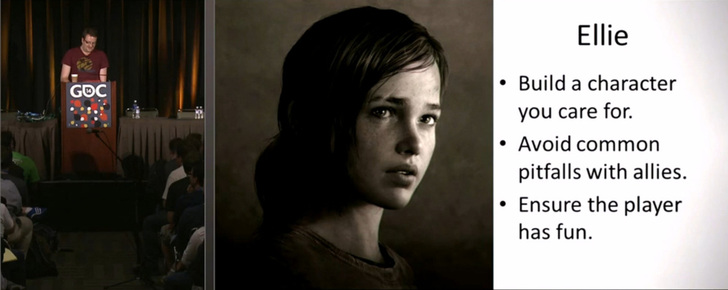
Ellie: Buddy AI in The Last of Us by Max Dychoff

Picture
   It is no secret that I am a huge fan of The Last of Us, and this talk by Max Dychoff is an interesting look at how they designed and implemented the character of Ellie into the game.

  
This is a great watch for anyone that wants to work with Ai Programming and design, or for anyone who likes Ellie.
Video Here

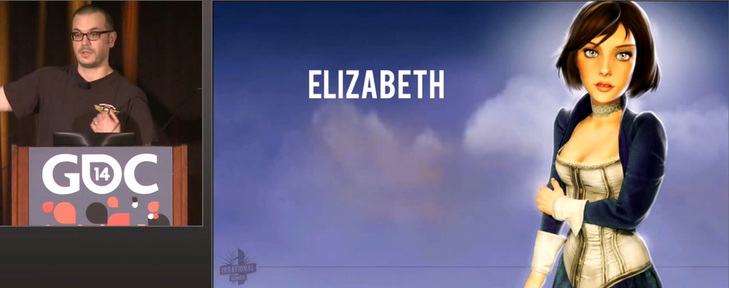
Creating Bioshock Infinite's Elizabeth by Shawn Robertson

Picture
   Shawn Robertson goes into detail over the start and finish of how Elizabeth was constructed, from sketches to a fully realized character in the final game. I highly recommend this video to anyone who wants to be an animator in the game industry.
Video Here

Why Is Gone Home a Game? by Steve Gaynor

Picture
   Gone Home was one of those games that took me by surprise. I went into it completely blind and it amazed me. In this talk Steve Gaynor discusses the process of putting this game together.

  A lot of people talk about the story elements and characters, but I have to say I really loved the setting. I personally wish that he discusses the importance of music in Gone Home . Nothing like reading your sister's diary while punk rock softly plays in the background to take me back to the early 90's.
Video Here
 Note: Steve Gaynor also has a radical podcast called Tone Control. You should definitely check it out.

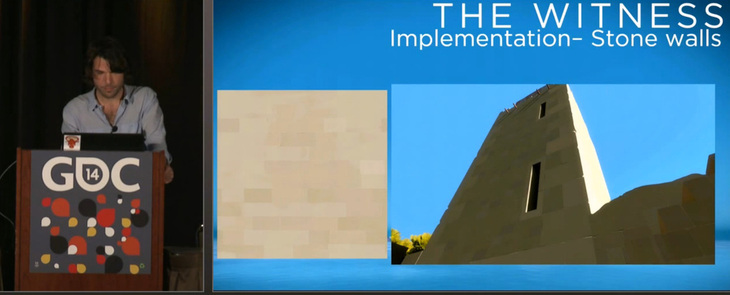
The Art of The Witness by Luis Antonio

Picture
  This is a really cool look at the process of the Art Direction The Witness has gone through. I was really impressed to see just how much thought has gone into the overall presentation and aesthetics.

  
If you like environmental art, this talk is right up your alley. Luis Antonio goes over the process of how the team at Thekla Inc went about creating a visually striking world by removing clutter and noise to create simple yet visually rich objects.
Video Here

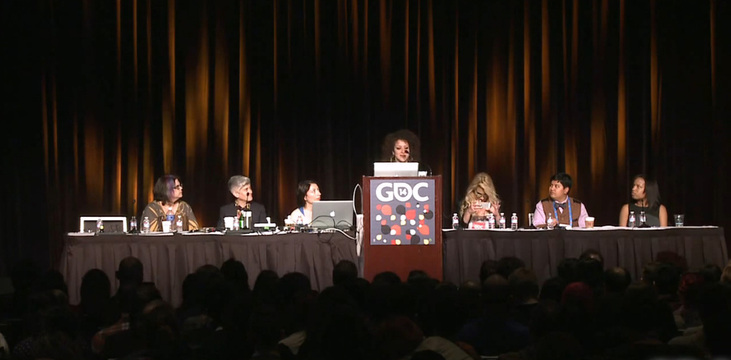
#1ReasonToBe by

Brenda Romero, Lauren Scott, Colleen Macklin, Anna Kipnis, Deirdra Kiai, Leigh Alexander and Laralyn McWilliams
Picture
   If you come to this talk with an open mind I think you will most definitely walk away with something,. I would like to think that I am aware of the things that go on in the industry but this talk made me realize that things are not perfect they way they are, that things can still be improved.

   This talk
also enforced my belief that diversity is key to strengthening our industry as a whole. Which means more representation of minorities in games and as developers/creators.
Video Here

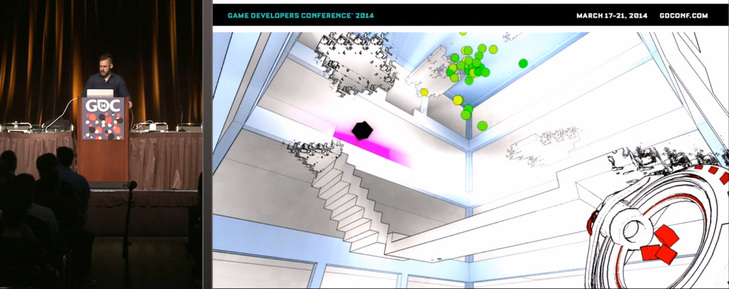
Anitchamber: An Overnight Success, Seven Years in the Making and Antichamber: Three Years of Hardcore Iteration by Alexander Bruce

Picture
   These two talks were amazing. In his first talk Alexander Bruce goes over the journey of creating Antichamber, and he doesn't hold back. As an indie myself, I found a lot of what he discussed to resonate with me.

   In his second talk he talks about the intensive iteration and design Antichamber went through before it's release. I was pretty much blown away at the complexity of the design behind the game. Alexander really maximized the results he got from every play test to expertly polish Antichamber.

    I played Antichamber back when it was still known as Hazard. I downloaded the demo from the UDK site. After seeing these talks I added it to my list of "Games I Need to Play".
Video 1 Here
Video 2 Here

SCALE and the Ethics of Kickstarter by Steve Swink

Picture
   If you're thinking about or are in the process of putting together a Kickstarter, this video is probably essential viewing.

  
Steve Swink shares his Kickstarter experience and breaks down the ups and downs of running a successful kickstarter campaign. If you want to launch a kickstarter, please watch this video.
Video Here

- Danny Q
@Dannylv100
​

0 Comments
<<Previous

    Dannylv100

       I am an Indie Game and Level designer, Consultant and host of Divercast.

    Space Image
    Picture

    Picture
    Picture
    Picture
    Picture
    Picture
    Picture
    Picture
    Picture

    Picture


    Submit a Question
    Picture
    Picture
    Picture

    Picture
    Dannylv100 on Twitch

    How to support Dannylv100

    Popular Podcast Episodes:

    Episode 21
    Episode 24
    Episode 25

    DLC Episodes

    Ep1 - Misc Movie Talk
    ​Ep2 - Gears 4 Impression
    ​Ep3 - A-plaque-alypse​

    Popular Indie Arcade:

    Indivisible
    ​The Night That Speaks
    ​Greedy Guns
    ​

    Popular Posts:
    Frosty's - Now on Itch.io
    How to make checkpoints....
    The Wanderer: A New Infe...

    Monthly Blog Archive

    WWP Appearance
    E3 Survival Guide
    ​Gears 4 - COG Hammerburst ​
    Knights vs Ninjas (Part 1)
    Halo 5: Warzone Accessibility 
    Halo 5: REQ Card Redesign
    ​
    New The Last of Us Enemy
    GDC 2014 Video Roundup
    ​Mass Effect 3: Tracker Class
    Mass Effect 3: DLC classes 
    ​Frosty's: Lost Levels
    ​
    Frosty's: Soundtrack
    ​Importing to UDK from Max
    ​Basic Checkpoints (UDK)
    ​
    Physics vs Scripted Events
    Picture

    Categories

    All
    Blog Post
    E3
    FF Level Design
    Flash Game
    Forge
    Forge Creation
    Freeze E Frosty
    Game Design
    Game Design Doc
    Gears Of War
    Halo 5
    In Defense Of
    Indie Arcade
    Indie Dev
    Iphone
    Iphone Game
    Itch.io
    Level Design
    Level Design 101
    Lost Chapters
    Podcast
    Steam
    Support This Site
    Thoughts
    Tutorial
    Twitch
    Udk
    Unity
    Youtube


    Archives

    September 2018
    August 2018
    July 2018
    June 2018

    May 2018
    April 2018
    February 2018
    December 2017
    October 2017
    September 2017
    August 2017
    July 2017
    June 2017

    May 2017
    April 2017
    March 2017
    February 2017
    January 2017
    December 2016
    November 2016
    October 2016
    September 2016
    August 2016
    July 2016
    June 2016
    May 2016
    April 2016
    March 2016
    February 2016
    January 2016
    December 2015
    November 2015
    October 2015
    September 2015
    August 2015
    July 2015
    June 2015
    May 2015
    April 2015
    March 2015
    February 2015
    December 2014
    November 2014
    October 2014
    September 2014
    August 2014
    July 2014
    June 2014
    May 2014
    April 2014
    March 2014
    February 2014
    January 2014
    December 2013
    September 2013
    July 2013
    June 2013
    April 2013
    February 2013
    January 2013
    December 2012
    November 2012
    October 2012
    September 2012
    August 2012
    July 2012
    June 2012
    May 2012
    April 2012
    March 2012
    February 2012
    January 2012
    November 2011
    October 2011
    September 2011
    August 2011
    June 2011
    May 2011

    RSS Feed

Powered by Create your own unique website with customizable templates.